All about product
Description
Specification
Reviews
0
Questions0
Installing the module


Admin protection in OpenCart, your own admin page
Product Code: 499
Version: 3.0
In Stock
450 грн
Main specifications
PHP:
7.2-7.4
Compatibility:
2.3.0.0, 2.3.0.1, 2.3.0.2, 3.0.0.0, 3.0.1.1, 3.0.1.2, 3.0.2.0, 3.0.3.0, 3.0.3.1, 3.0.3.2, 3.0.3.3, 3.0.3.5, 3.0.3.6, 3.0.3.7, 3.0.3.8
Localization:
Russian, Ukrainian, English
Ocmod:
Yes
Adaptation to your store:
Paid
All specifications
Description
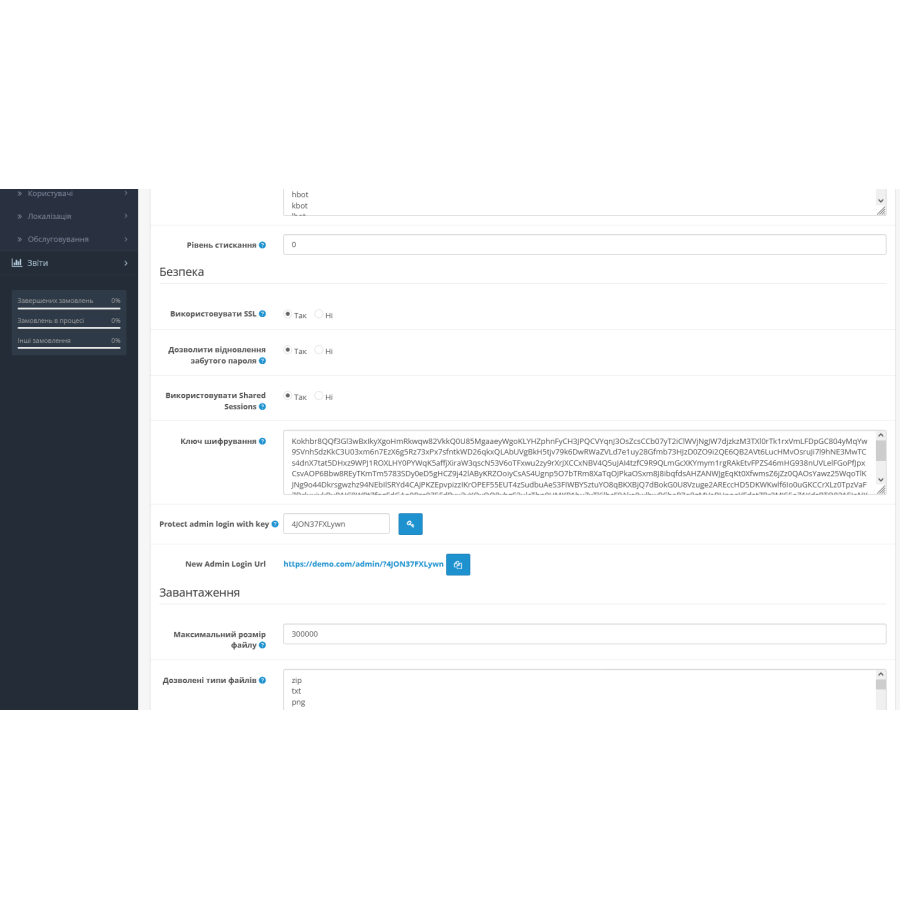
Admin Key is a simple and effective solution for protecting the admin panel in OpenCart from hackers and attackers. The module restricts access to the admin login page by adding a unique key to the URL, making it impossible to guess. After installation and configuration, the URL for logging into the admin panel will be changed to, for example: http://yourstore.com/admin/?Kx4AxsoWxcC1.
Module features:
- Protecting the admin panel from hacking, bots, and unauthorized access.
- There is no need to change the name of the admin folder.
- All attempts to access the admin panel without the correct key will be redirected to a 404 page.
- The module does not affect the operation of other installed extensions.
- Additional protection against direct POST requests to the login page URL.
- If the login details are incorrect, a 404 error will be displayed to prevent brute force attacks.
- The 404 error page will be displayed with the correct status code.
Installation instructions:
- Go to the “Installing Add-ons/Extensions” section and click the “Download” button.
- Select the downloaded file and wait for the message “Application installed successfully”.
- Then go to “Application Manager” and click the “Update” button.
Specifications
Characteristics
PHP
7.2-7.4
Compatibility
2.3.0.0, 2.3.0.1, 2.3.0.2, 3.0.0.0, 3.0.1.1, 3.0.1.2, 3.0.2.0, 3.0.3.0, 3.0.3.1, 3.0.3.2, 3.0.3.3, 3.0.3.5, 3.0.3.6, 3.0.3.7, 3.0.3.8
Localization
Russian, Ukrainian, English
Ocmod
Yes
Adaptation to your store
Paid
There are no reviews for this product, be the first to leave your review.
No questions about this product, be the first and ask your question.
Installing the module
Module installation instructions:
- Before performing any actions related to installing an add-on in Opencart, we recommend creating a backup copy of all site files and the store database ;
- Install the localcopy fix (if you don't have it installed yet)
- Download the module file for the desired Opencart version from our website ( Follow the installation instructions if there are any in the module archive );
- Then go to the "Installing add-ons/extensions" section and click on the " Download " button;
- Select the downloaded file and wait for the module to be fully installed and for the text "Application installed successfully" to appear;
- After that, go to " Application Manager " and update the modifiers by clicking the " Update " button;
- After these actions, you need to add the rights to view and manage the module in the " User Groups " section for the administrator or other users you select by clicking " Select All ".
Inquiry about Admin Key – Admin Key Protection in OpenCart
-
How does Admin Key – Admin Key Protection in OpenCart work?
-
Do I need to change the name of the admin folder when using Admin Key – Admin Key Protection in OpenCart?
-
Can Admin Key – Admin Key Protection in OpenCart conflict with other modules on the site?