Modules
0
0
All about product
Description
Specification
Reviews 1
Questions0
Installing the module

Advantage Blocks Advant Block (Information Blocks)

Advant Block Advantage Blocks (Information Blocks) module for OpenCart

1 Leave a review
Product Code: 262
In Stock
300 грн
Main specifications
PHP: 7.2-7.4
Compatibility: Opencart 3.0, OcStore 3.0
Localization: Ukrainian, Russian, English
Ocmod: Yes
Adaptation to your store: Paid
All specifications
Description

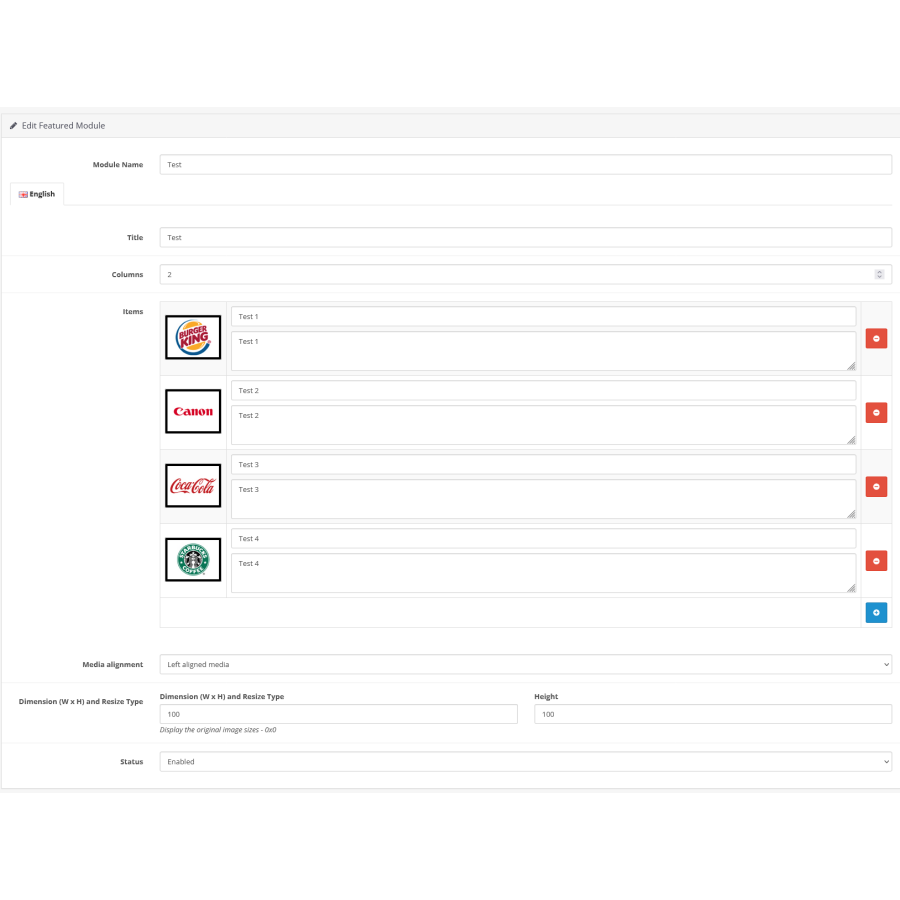
Creating informative blocks on your site based on Opencart 3 has become easier with the help of this module. With its help, you can create as many information blocks or grids as you want and place them in any position on the store pages.

Infoblocks are a powerful tool that allows you to display key information in the form of clear blocks. Each block has an illustration (picture or icon), title and description. Thanks to them, you can attract the attention of your visitors by presenting them with statistics, process steps or other useful information.

A trigger grid or information blocks in the form of a grid is a great way to show the main benefits of your business in a clear and beautiful format. In addition, they allow you to easily redirect users to the right pages, which helps to increase conversions and the number of sales.

With this module, you will get not only a tool for creating effective informative blocks, but also an opportunity to increase the visibility and attractiveness of your store among competitors.

benefits, info blocks, banners, text, block module

Specifications
Characteristics
PHP 7.2-7.4
Compatibility Opencart 3.0, OcStore 3.0
Localization Ukrainian, Russian, English
Ocmod Yes
Adaptation to your store Paid
Reviews
Product rating
5
Reviews: 1
5
1
4
0
3
0
2
0
1
0
5
Виталик Маск
06 december 2024 (17:09)
Отличный модуль, то что искал, в шаблоне нужно было установить блок с инфой
Is this review helpful? 0
Answers & questions

No questions about this product, be the first and ask your question.

Installing the module

Module installation instructions:

  1. Before performing any actions related to installing an add-on in Opencart, we recommend creating a backup copy of all site files and the store database ;
  2. Install the localcopy fix (if you don't have it installed yet)
  3. Download the module file for the desired Opencart version from our website ( Follow the installation instructions if there are any in the module archive );
  4. Then go to the "Installing add-ons/extensions" section and click on the " Download " button;
  5. Select the downloaded file and wait for the module to be fully installed and for the text "Application installed successfully" to appear;
  6. After that, go to " Application Manager " and update the modifiers by clicking the " Update " button;
  7. After these actions, you need to add the rights to view and manage the module in the " User Groups " section for the administrator or other users you select by clicking " Select All ".

After completing these steps, your module will be installed and ready to use, and you can start configuring it!