

Affiliate buttons (links) in the product card for OpenCart
Module "Partner buttons (links) in the product card" for OpenCart
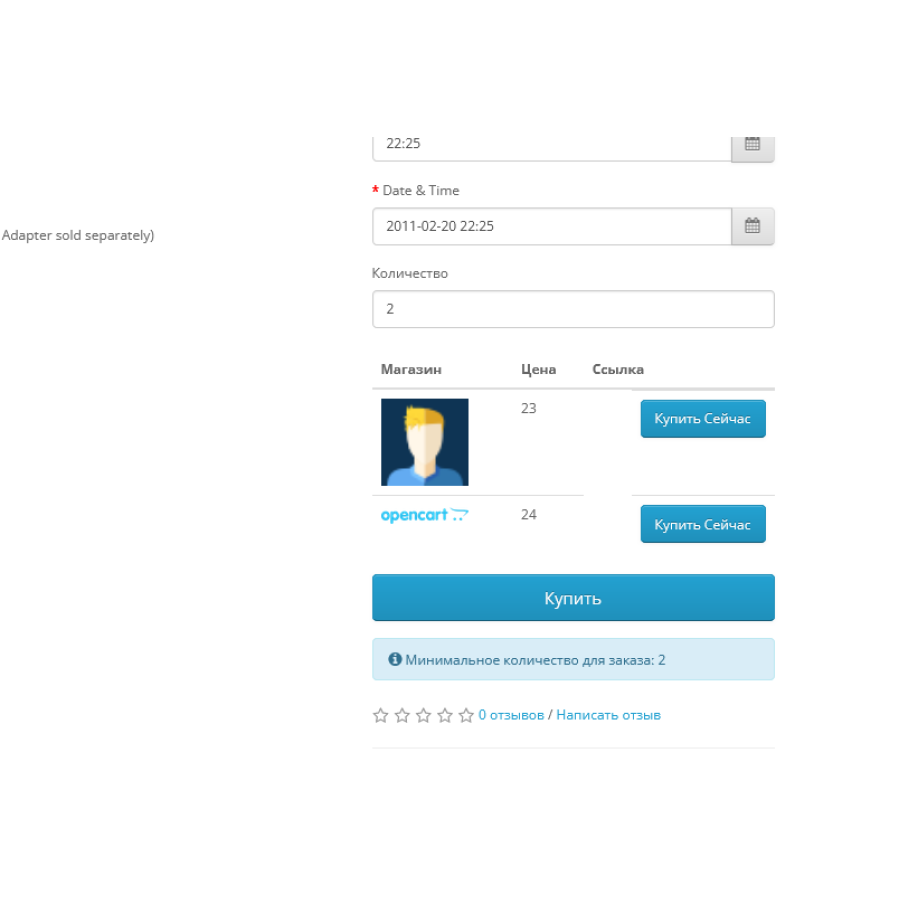
This module allows you to integrate your store with additional sales channels and partner networks. Thanks to it, you will be able to expand the reach of your products and increase sales through partner stores.
The main capabilities of the module:
- Adding an unlimited number of affiliate buttons/links to the product page.
- The possibility of adding the logo of an external partner store.
- Displaying the price of the product in the partner store.
How does the module work?
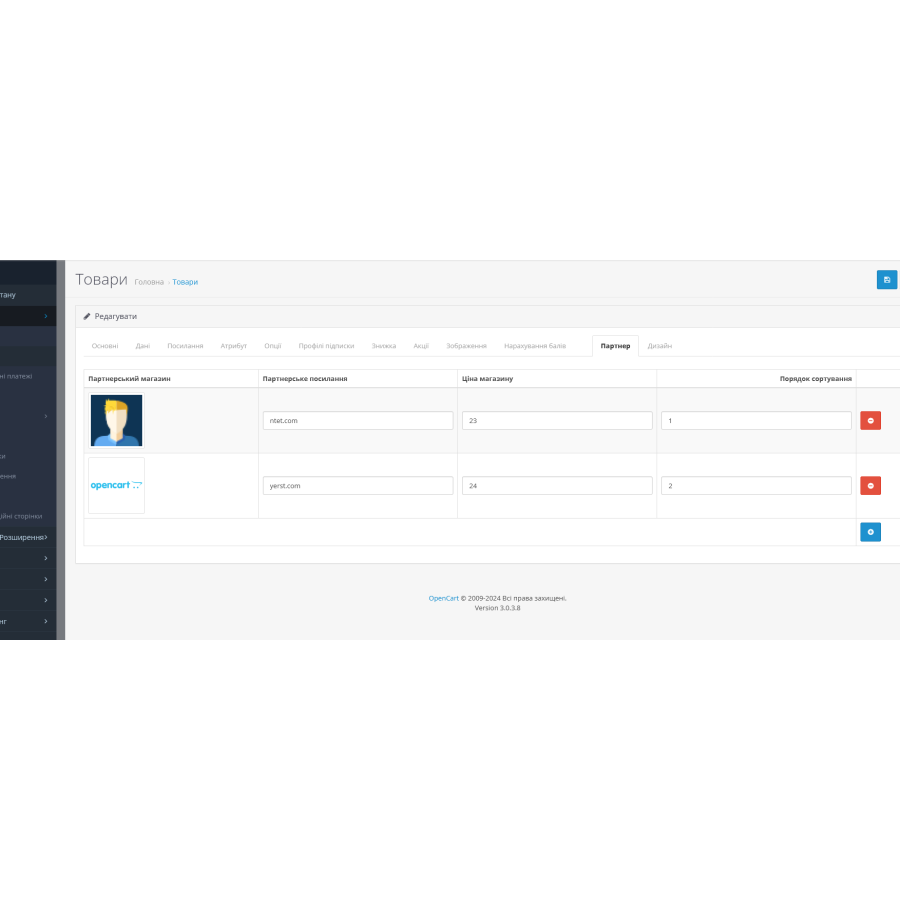
After installing the module, a new "Affiliate links" tab appears on the page of each product. In this tab, you can add the logo of the partner store, its link, and specify the price of the product in this store. This gives your customers the option of choosing from multiple channels to purchase your product.
The module is ideal for those who want to increase their market presence and take advantage of affiliate programs.
 affiliate_link_oc3.x.ocmod.zip
No questions about this product, be the first and ask your question.
Module installation instructions:
- Before performing any actions related to installing an add-on in Opencart, we recommend creating a backup copy of all site files and the store database ;
- Install the localcopy fix (if you don't have it installed yet)
- Download the module file for the desired Opencart version from our website ( Follow the installation instructions if there are any in the module archive );
- Then go to the "Installing add-ons/extensions" section and click on the " Download " button;
- Select the downloaded file and wait for the module to be fully installed and for the text "Application installed successfully" to appear;
- After that, go to " Application Manager " and update the modifiers by clicking the " Update " button;
- After these actions, you need to add the rights to view and manage the module in the " User Groups " section for the administrator or other users you select by clicking " Select All ".