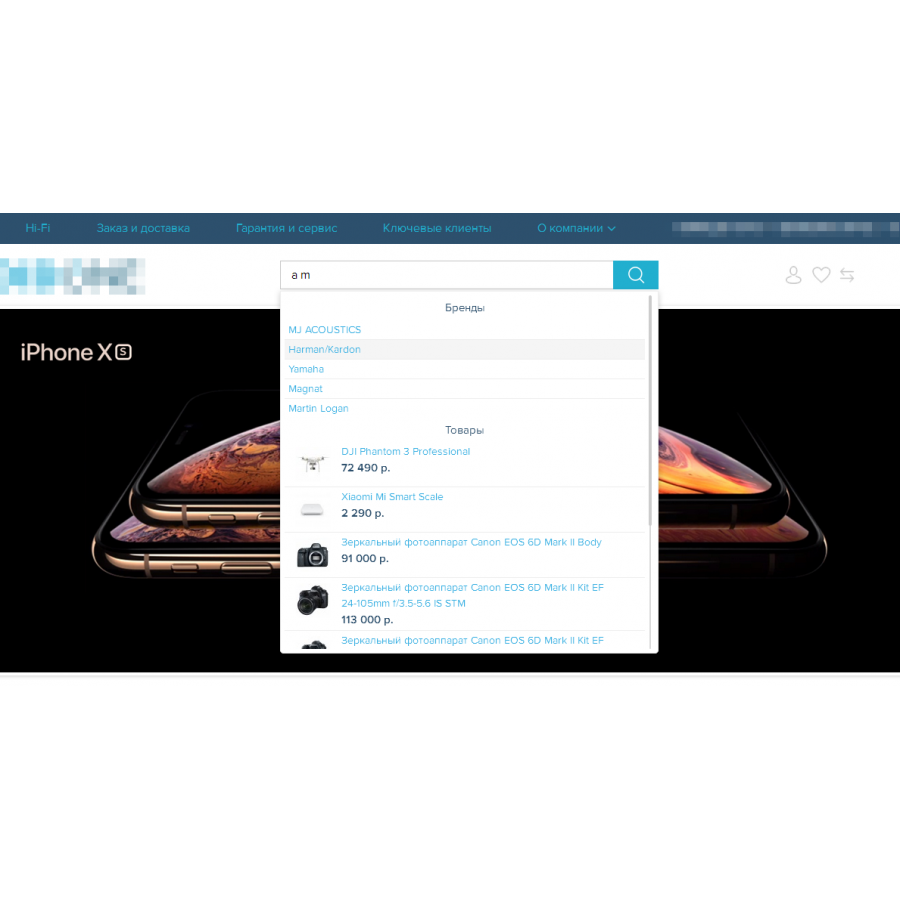



AutoSearch 3x - quick search
AutoSearch 3x is a quick search module with a drop-down list, when the results are shown immediately as you type.
This version is intended for Opencart 3x and all builds based on it.
Flexible settings and functionality of the module allow you to choose the most suitable solution for your online store.
Features:
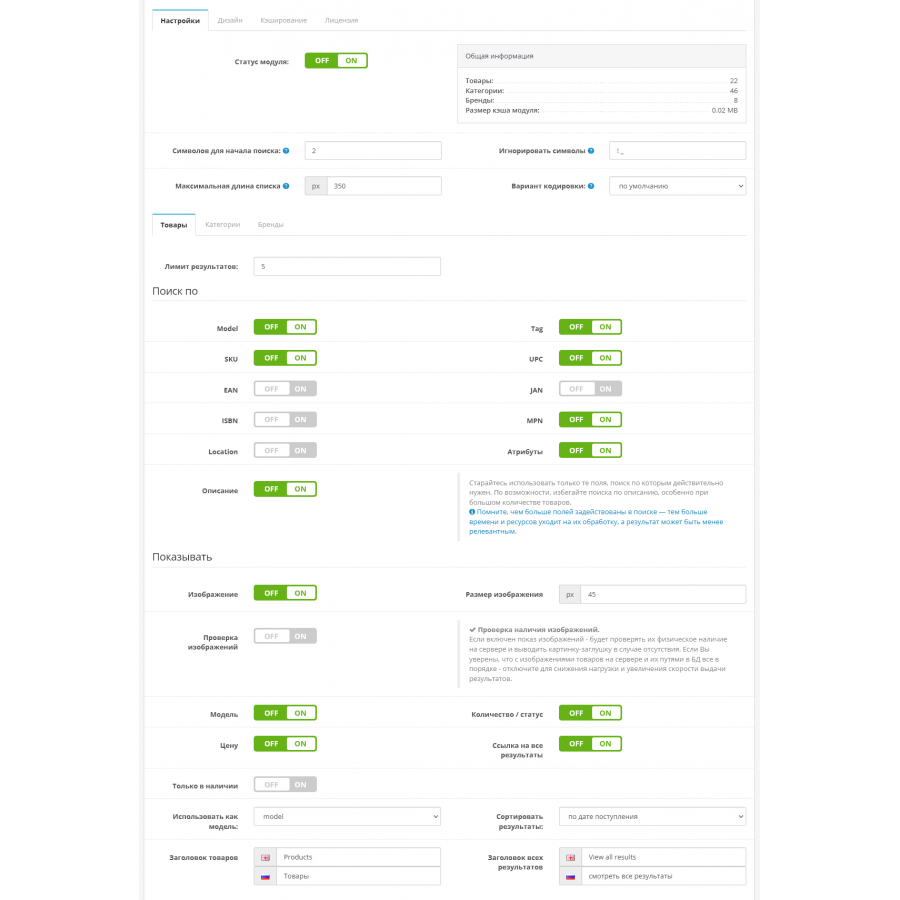
✔ search for products by name, attributes, tags, model, SKU, UPC, EAN, JAN, ISBN, MPN, Location and description ✔ search and display in the list of
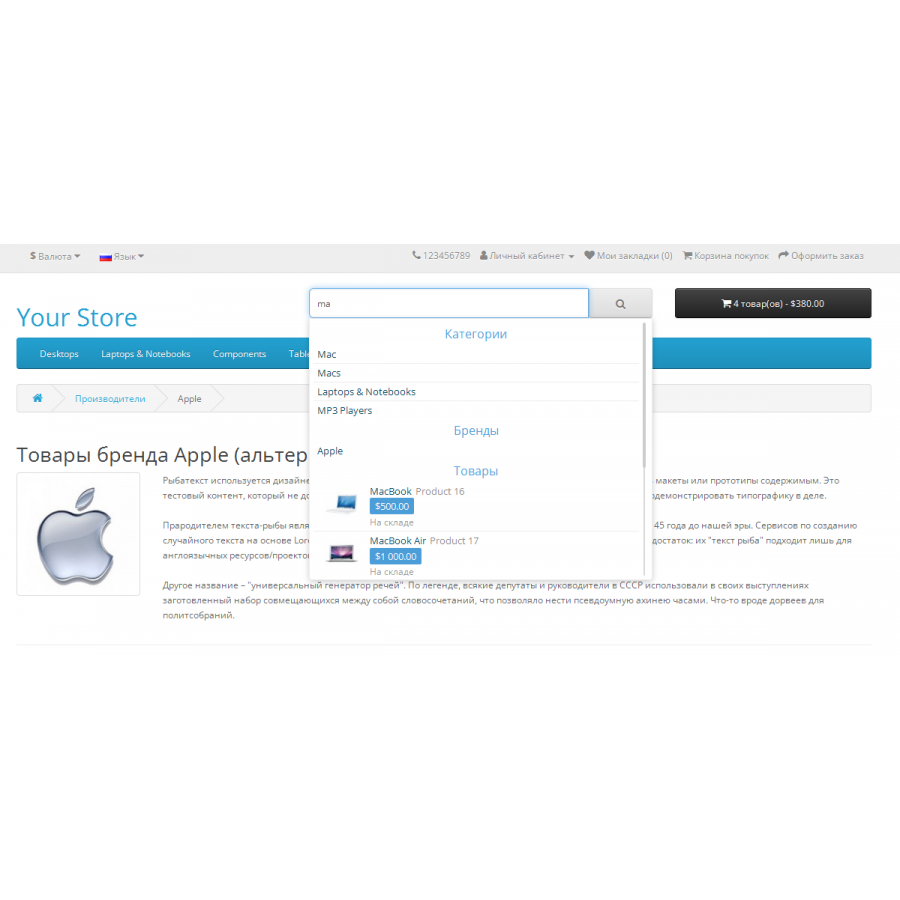
results of categories and manufacturers
✔ setting a limit for displayed results for products, categories and brands
✔ setting the number of entered characters to start a search
✔ the ability to set ignored characters that will be excluded from the search query
✔ customizable display of search results
product name, model, image, price, quantity / availability status
✔ the ability to display the SKU field instead of the product model , UPC, EAN, JAN, MPN, ISBN or Location
✔ ability to show only in-stock products
✔ caching of results
using a cache reduces server resource consumption and reduces search time
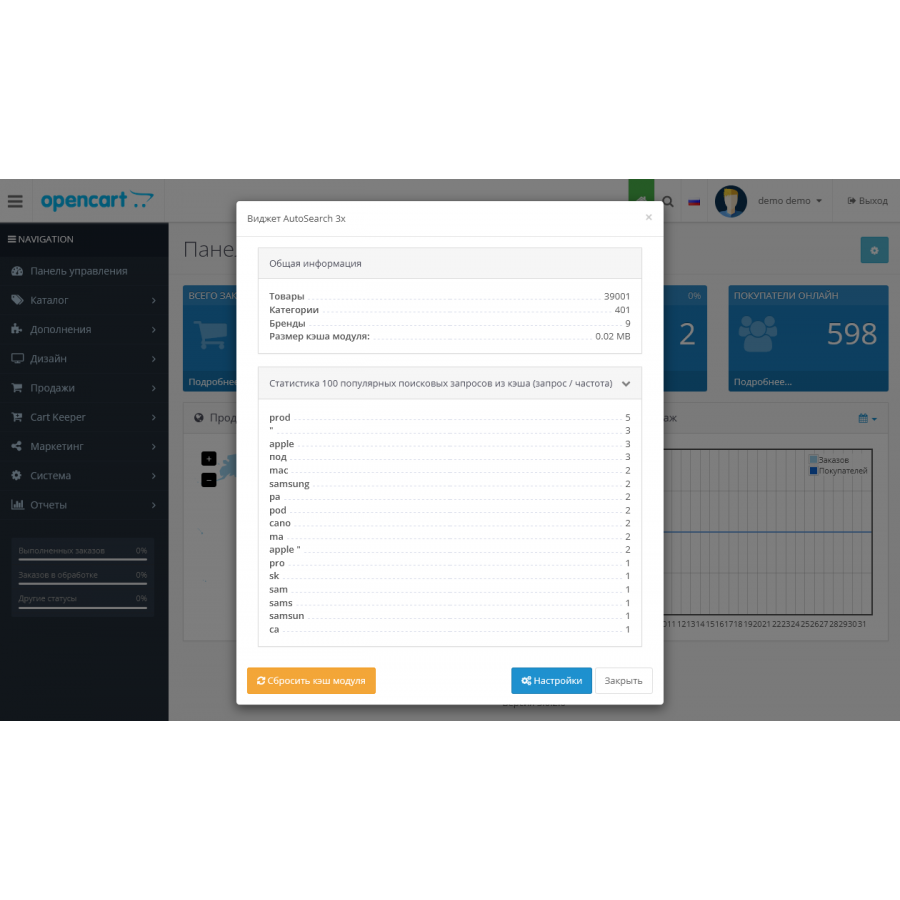
✔ statistics of popular search queries from the cache (query / frequency)
✔ general information about the store in the module settings
the number of products, categories, manufacturers and the current size of the module cache
✔ module widget in the admin panel for quick access to statistics, settings and clearing its cache
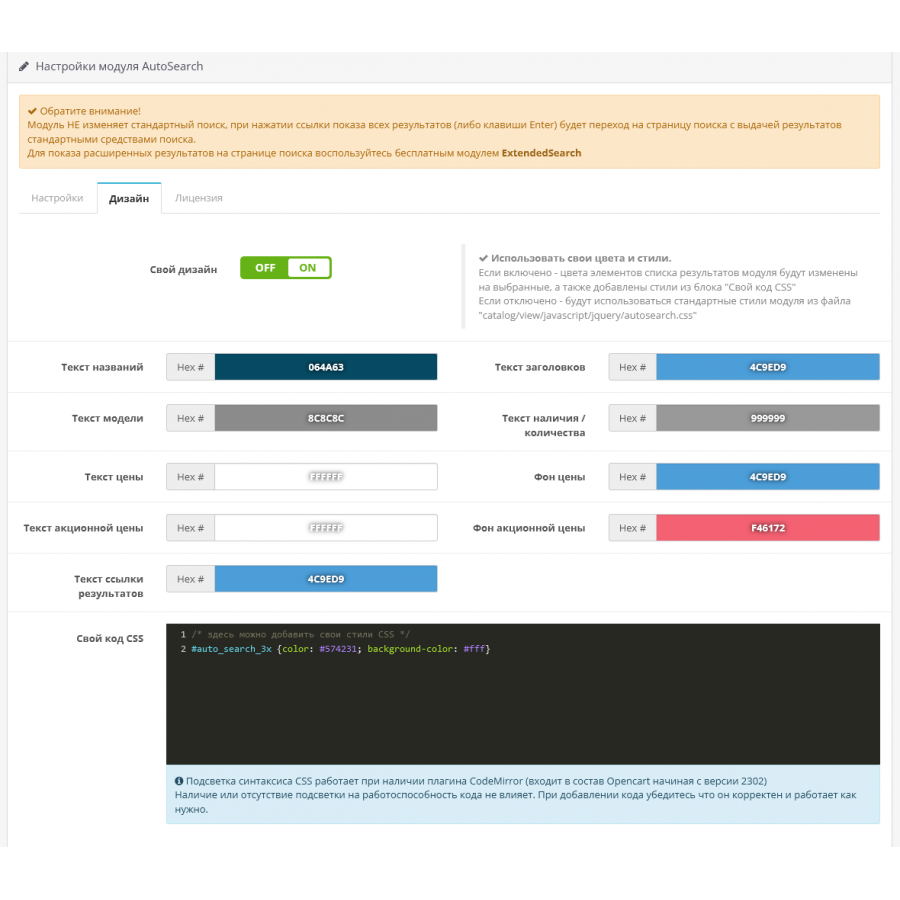
✔ stylish appearance and convenient design settings
visual color selection of elements of the module results list
the ability to add your own CSS styles
✔ sorting search results by relevance and additional condition (by date of receipt / by name)
✔ stylish scrolling of the list of results and setting its maximum length
Compatible with Opencart versions 3000 - 303x
- does not change engine files (all changes via OCMOD)
- does not create additional fields and tables in the database
Please note:
the module does NOT change the standard search ; when you click the link to show all results (or the Enter key), you will
go to the search page with results displayed using standard search tools.
To display rich results on the search page, use the free module ExtendedSearch
System requirements:
- PHP 5.3 or higher; CURL
are the basic requirements for Opencart 3 to work
- mbstring extension
library for working with multibyte encodings, usually connected in the hosting control panel
(usually already connected by default)
Installation:
1. Download the autosearch-3x.ocmod.zip archive in Extensions > Installer
2. Update the modifier cache in Extensions > Modifications
3. Update the theme cache in Dashboard > Developer Settings
4. Install the module AutoSearch in Extensions > Modules
5. Configure the module, enter the license key and save the settings.
There are no reviews for this product, be the first to leave your review.
No questions about this product, be the first and ask your question.
Module installation instructions:
- Before performing any actions related to installing an add-on in Opencart, we recommend creating a backup copy of all site files and the store database ;
- Install the localcopy fix (if you don't have it installed yet)
- Download the module file for the desired Opencart version from our website ( Follow the installation instructions if there are any in the module archive );
- Then go to the "Installing add-ons/extensions" section and click on the " Download " button;
- Select the downloaded file and wait for the module to be fully installed and for the text "Application installed successfully" to appear;
- After that, go to " Application Manager " and update the modifiers by clicking the " Update " button;
- After these actions, you need to add the rights to view and manage the module in the " User Groups " section for the administrator or other users you select by clicking " Select All ".