- Model329
- BrandOpenCart-Hub
- Version0.4.8
- AvailabilityIn Stock
- PHP7.2-7.4
- Compatibility3.0.0.0, 3.0.1.1, 3.0.1.2, 3.0.2.0, 3.0.3.0, 3.0.3.1, 3.0.3.2, 3.0.3.3, 3.0.3.5, 3.0.3.6, 3.0.3.7, 3.0.3.8
- All the features
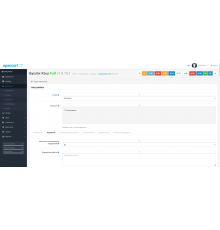
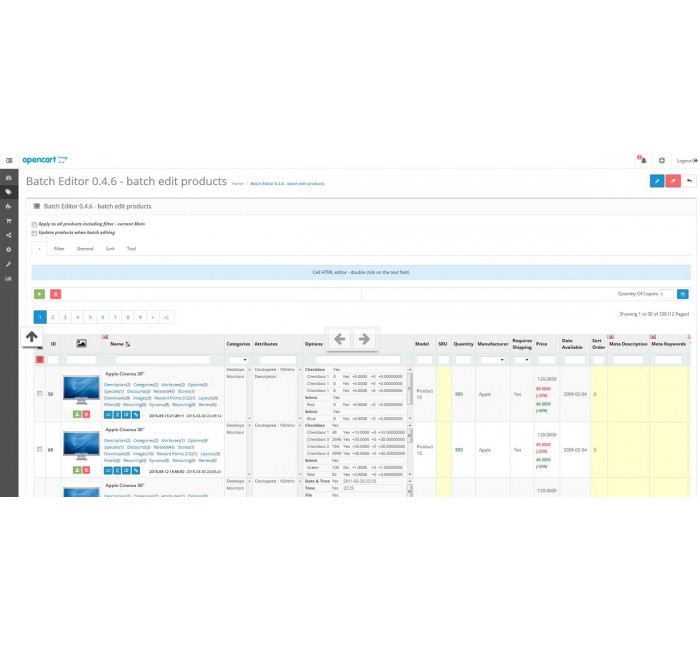
Batch Editor - an application for the ocStore/OpenCart 1.5.xx - 3.0.xx admin that simplifies work with products.
Allows batch editing of products, as well as changing product data directly in the list + other possibilities.
Works with standard product data + additional fields from the main table
(product) and tables with product description (product_description).
- Terms of use: one domain - one license, that is, when using the module in other domains, the license for each is purchased separately.
- Working hours are not limited.
Hosting requirements
- PHP 5.3+
- ionCube PHP Loader latest version
We copy the contents of the archive to the root of your site. Important – it is not installed as a module.
Next, System->Users->User groups set the rights for:
- batch_editor/data
- batch_editor/index
- batch_editor/settings
- batch_editor/template
- batch_editor/tool
A link to the module will appear in the admin menu Catalog->Batch Editor
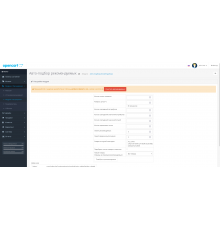
When you first open the page with the application, you will be redirected to the page with settings, where you will need to take the necessary actions, after which you will be saved.
If it is not possible to save the settings, you need to set write permissions for the folder view/batch_editor/setting/
Pay attention!
All extensions are designed for the standard template and the "clean" version of OpenCart and are sold in their current form "as is" (AS IS). In case of using third-party templates or modifications, additional adaptation may be required, and in some cases is mandatory , for the correct operation of the module. The adaptation service is provided exclusively on a paid basis.
Please check the cost and the possibility of adaptation before making a purchase. After purchase, no claims regarding the operation of the extensions will be accepted.
You can also request a demonstration of the module's operation - to do this, contact the support service.
Characteristics
- PHP7.2-7.4
- Compatibility3.0.0.0, 3.0.1.1, 3.0.1.2, 3.0.2.0, 3.0.3.0, 3.0.3.1, 3.0.3.2, 3.0.3.3, 3.0.3.5, 3.0.3.6, 3.0.3.7, 3.0.3.8
- LocalizationRussian, English
- OcmodNo
- Adaptation to your storePaid
Дякую!
Module installation instructions:
- Before performing any actions to install the add-on in Opencart, we recommend creating a backup copy of all site files and the store database;
- Install the localcopy fix (if you don't have it installed yet)
- Download the module file for the required Opencart version from our website (Follow the installation instructions if there are any in the module archive);
- Then go to the "Installing add-ons/extensions" section and click on the "Download" button;
- Select downloaded file and wait for the module to be fully installed and the text "Application installed successfully" to appear;
- Then go to "Application Manager" and update the modifiers by clicking the "Update" button;
- After these actions, you need to add the rights to view and manage the module in the "User Groups" section for the administrator or other users you select by clicking "Select All"