

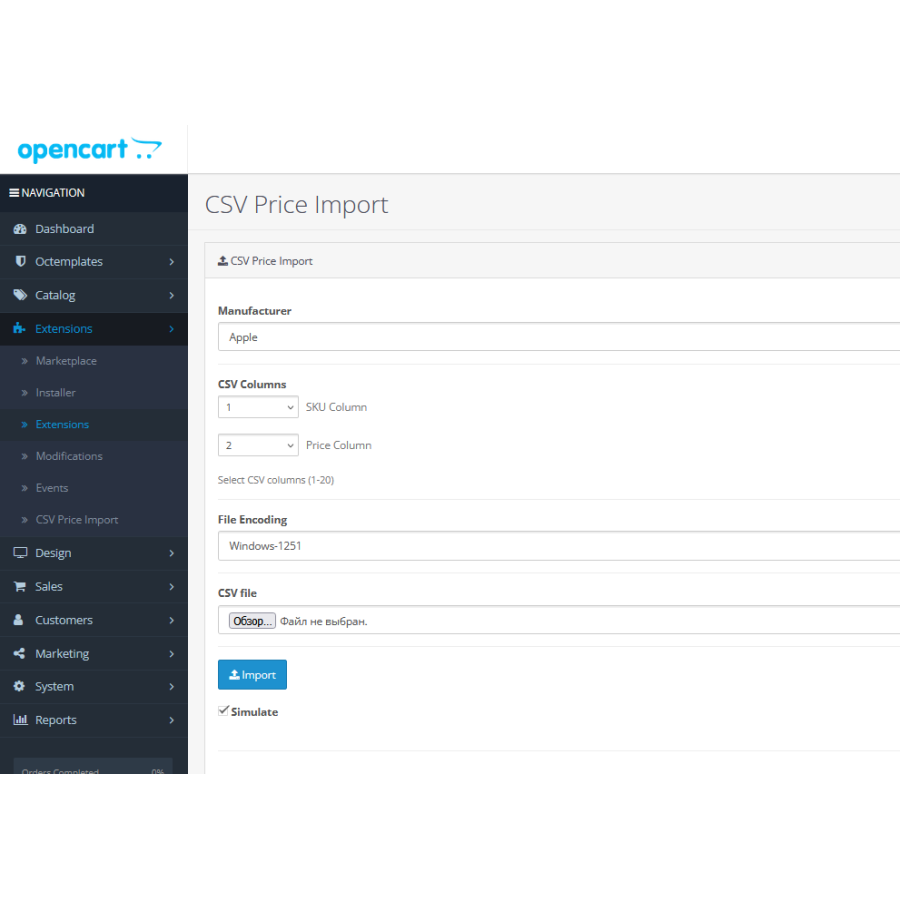


CSV Price Updater: Швидке та зручне керування цінами OpenCart
Повний контроль над цінами вашого магазину з CSV Price Updater для OpenCart
Модуль CSV Price Updater — це потужний та інтуїтивно зрозумілий інструмент для OpenCart, який дозволяє оновлювати ціни товарів безпосередньо з файлів CSV лише в кілька кліків. Забудьте про ручне редагування кожного товару: налаштовуйте колонки для імпорту, вибирайте кодування файлу та фільтруйте оновлення за виробником для максимальної точності керування вашим каталогом.
Завдяки вбудованій системі звітності ви завжди будете знати, які позиції були оновлені успішно, а де виникли помилки. Це робить масове керування цінами швидшим, безпечнішим та ефективнішим, ніж будь-коли раніше.
Зверніть увагу на PRO версію з широким функціоналом імпорту та експорту CSV Price Pro import/export
Ключові особливості модуля:
- Масове оновлення цін: Легко завантажуйте нову вартість товарів через CSV-файли.
- Гнучке налаштування колонок: Вибирайте лише ті стовпці, які необхідно імпортувати.
- Підтримка різних кодувань: Коректна обробка даних завдяки вибору кодування файлу.
- Фільтрація за виробником: Оновлюйте ціни лише для конкретних брендів.
- Детальні звіти: Прозорість процесу завдяки звітам про успішні та невдалі оновлення.
- Інтуїтивний інтерфейс: Просте керування, що не потребує спеціальних технічних навичок.
Переваги використання:
- Економія часу: Автоматизуйте рутинні процеси масового ціноутворення.
- Мінімізація помилок: Детальна звітність дозволяє вчасно виявити та виправити неточності.
- Актуальність даних: Підтримуйте актуальні ціни в усьому каталозі без зайвих зусиль.
- Адаптивність: Повністю настроювані параметри імпорту під ваші бізнес-процеси.
| Назва файлу | Розмір | Посилання |
|---|---|---|
 csv_price_import.1.0.ocmod.zip csv_price_import.1.0.ocmod.zip
|
21.21KiB | Увійти |
Немає відгуків про цей товар, станьте першим, залиште свій відгук.
Немає питань про даний товар, станьте першим і задайте своє питання.
Інструкція з встановлення модуля:
- Перед тим як виконати будь-які дій щодо встановлення доповнення в Opencart, ми рекомендуємо створити резервну копію всіх файлів сайту та бази даних магазину;
- Встановити фікс localcopy (якщо він у вас ще не встановлений)
- Завантажте файл модуля для потрібної версії Opencart з нашого сайту (Дотримуйтеся інструкції зі встановлення якщо така є в архіві з модулем);
- Потім перейдіть до розділу "Встановлення додатків/розширень" та натисніть на кнопку "Завантажити";
- Виберіть завантажений файл і дочекайтеся повного встановлення модуля та появи тексту "Додаток успішно встановлено";
- Після того перейдіть в "Менеджер додатків" та оновіть модифікатори натисувши кнопку "Оновити";
- Піля цих дій потрібно додати права на перегляд та керування модулем у розділі "Групи користувачів" для адміністратора, чи інших вибраних вами користувачів, натиснувши "Виділити все"





