Modules
0
0
All about product
Description
Specification
Reviews 0
Questions0
Installing the module
Product Manager PRO 4 - A fast tool for bulk product management

Module Product Manager PRO 4 - A fast tool for bulk product management for Opencart

0 Leave a review
Product Code: 322 Version: 4.0
In Stock
450 грн
Main specifications
PHP: 7.2-7.4
Compatibility: 1.5.x, 2.0.0.0, 2.0.1.0, 2.0.1.1, 2.0.2.0, 2.0.3.1, 2.1.0.1, 2.1.0.2, 2.2.0.0, 2.3.0.0, 2.3.0.1, 2.3.0.2, 3.0. 0.0, 3.0.1.1, 3.0.1.2, 3.0.2.0, 3.0.3.0, 3.0.3.1, 3.0.3.2, 3.0.3.3, 3.0.3.5, 3.0.3.6, 3.0.3.7, 3.0.3.8, 3.0.3.9
Localization: Russian, Ukrainian, English
Adaptation to your store: Paid
All specifications
Description
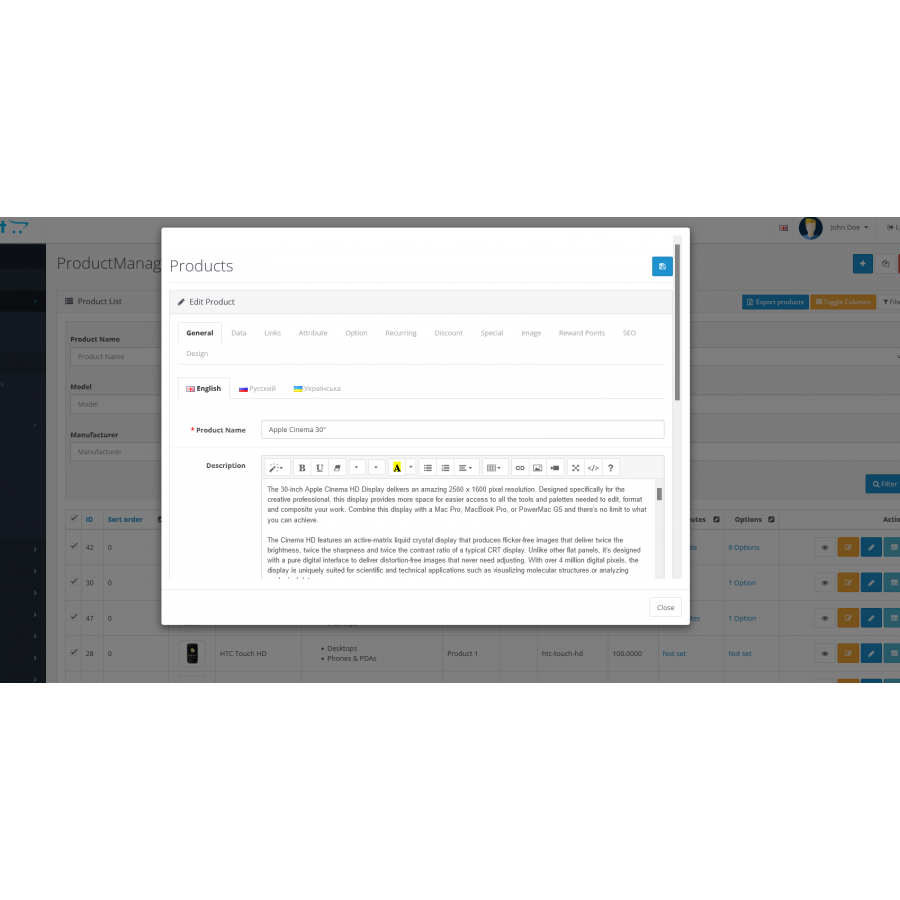
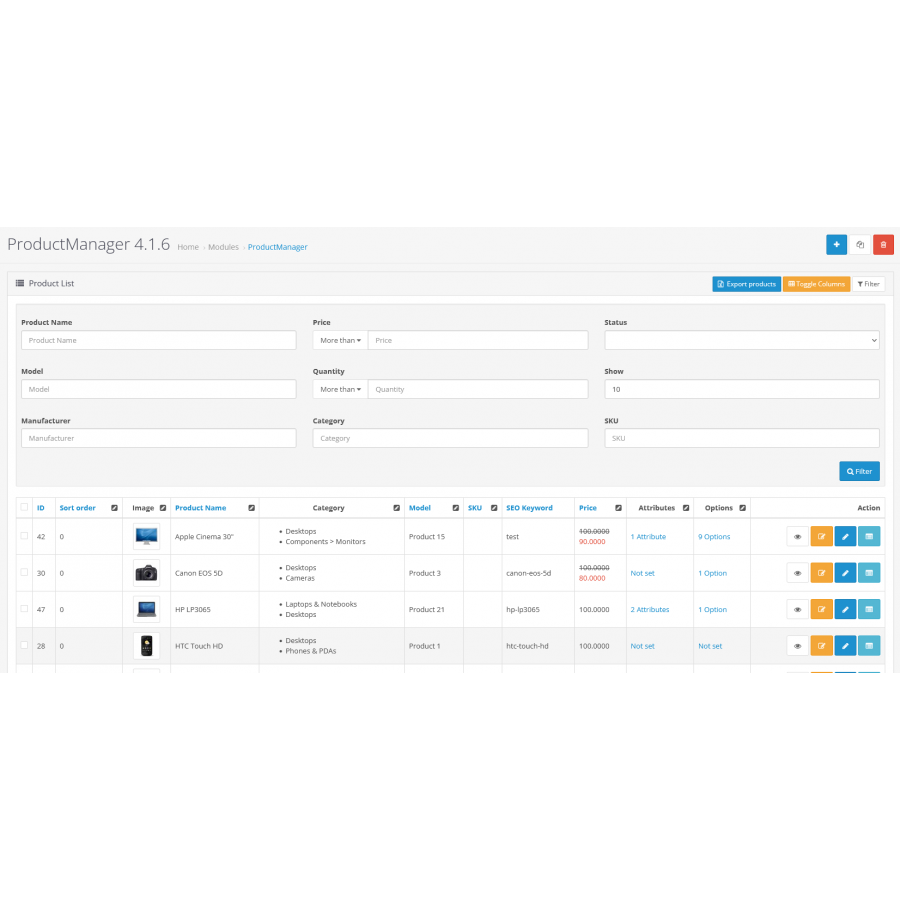
Product management and editing becomes easy and efficient thanks to ProductManager PRO 4. Now you can quickly and conveniently work with one or several products at the same time, organizing your management for maximum productivity.

The main advantages of ProductManager PRO 4:

Fast and user-friendly interface : The simple and intuitive grid view allows you to perform all the necessary actions with a single click of the mouse.

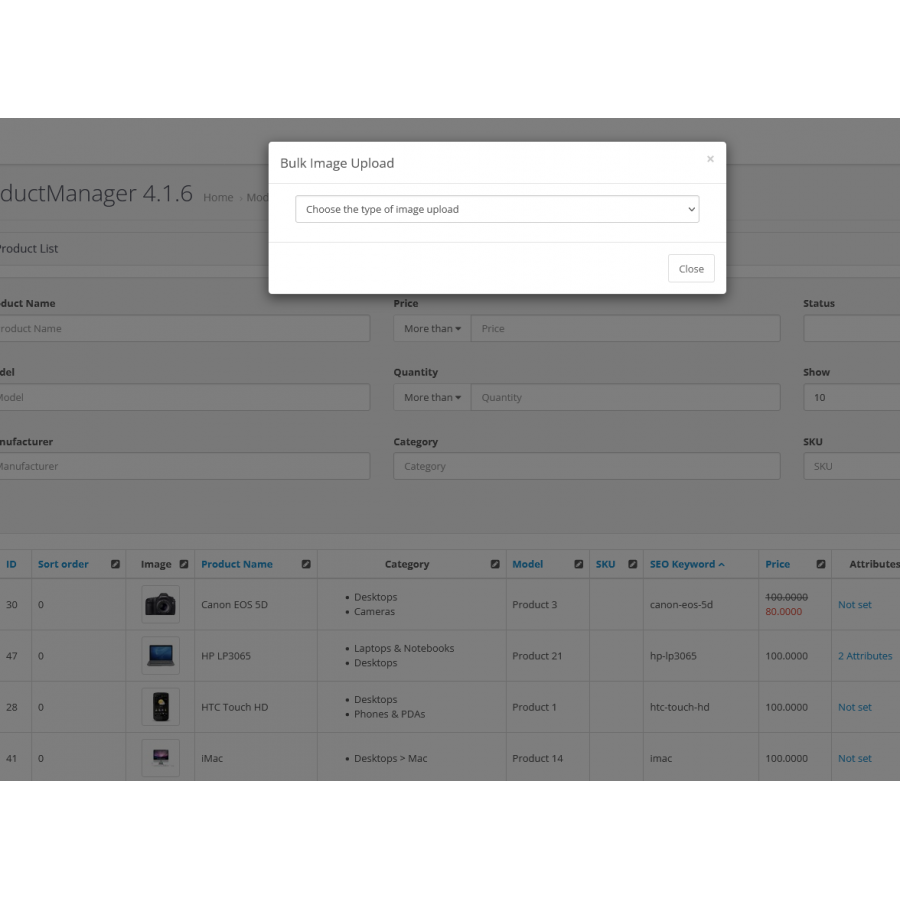
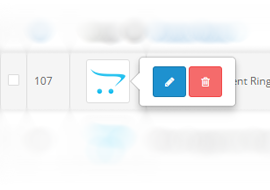
One-click image upload : A handy multi-image upload tool saves you time and effort.

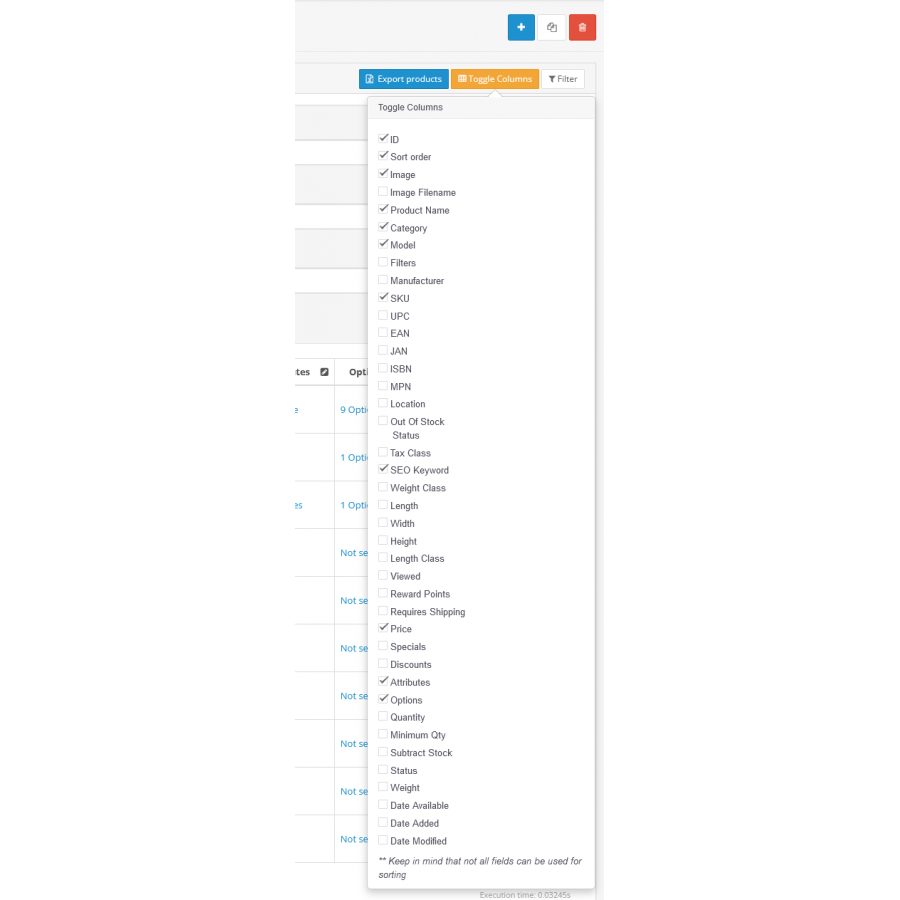
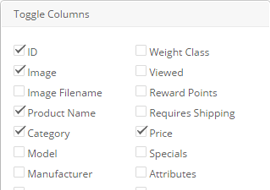
Customized interface : Customize your interface by toggling only the columns you need.

ExcelPort Compatible : Easily export customized products with ExcelPort.

Front-end View : One click to view the product on your site.

Sort by criteria : Sort your products by any criteria to quickly find the information you need.

ProductManager PRO 4 is your reliable assistant in managing and editing products!

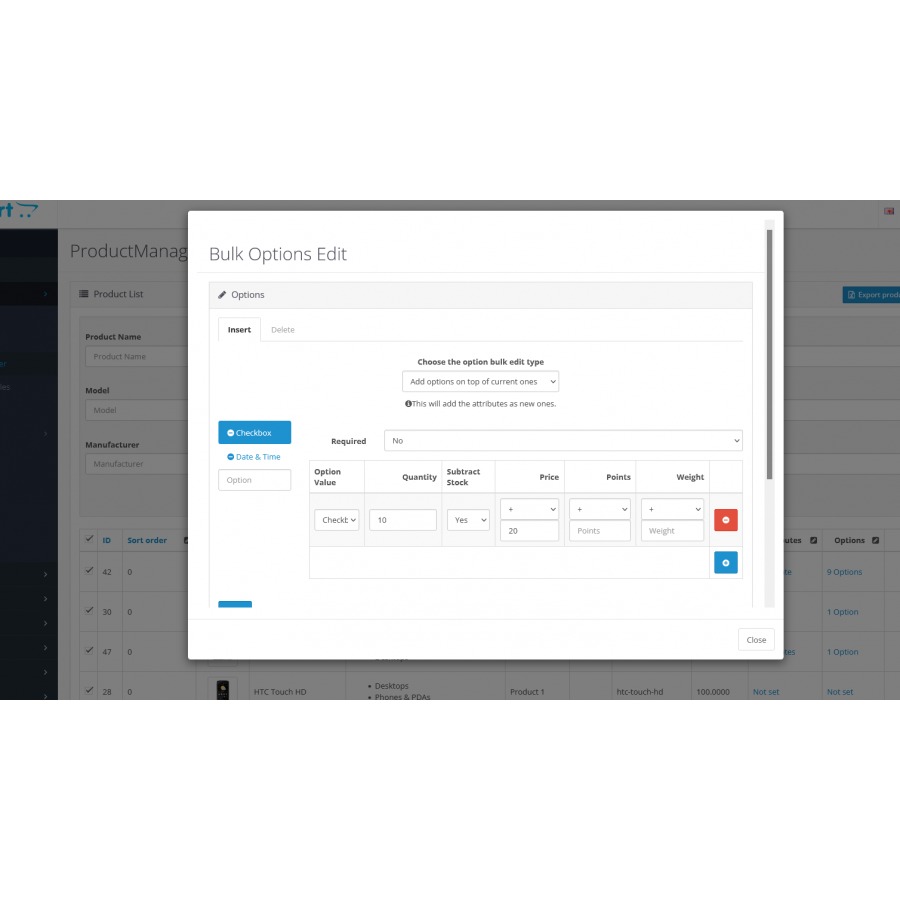
The module allows you to edit one or several products at the same time.
Product Manager PRO 4
Convenient image upload, now you don't have to spend a lot of time editing photos in products.

bulk photo upload
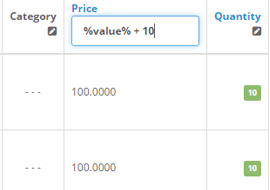
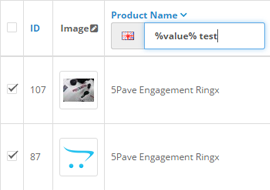
Group editing of numbers using formulas
The ability to edit numbers with formulas and allows you to bulk edit the price and quantity simultaneously while the module calculates the result for you.


Ability to customize the display of columns in the manager for your needs
Select the columns you want to display in the product table, or hide unnecessary settings for more convenient product management.
product manager for open cards 3
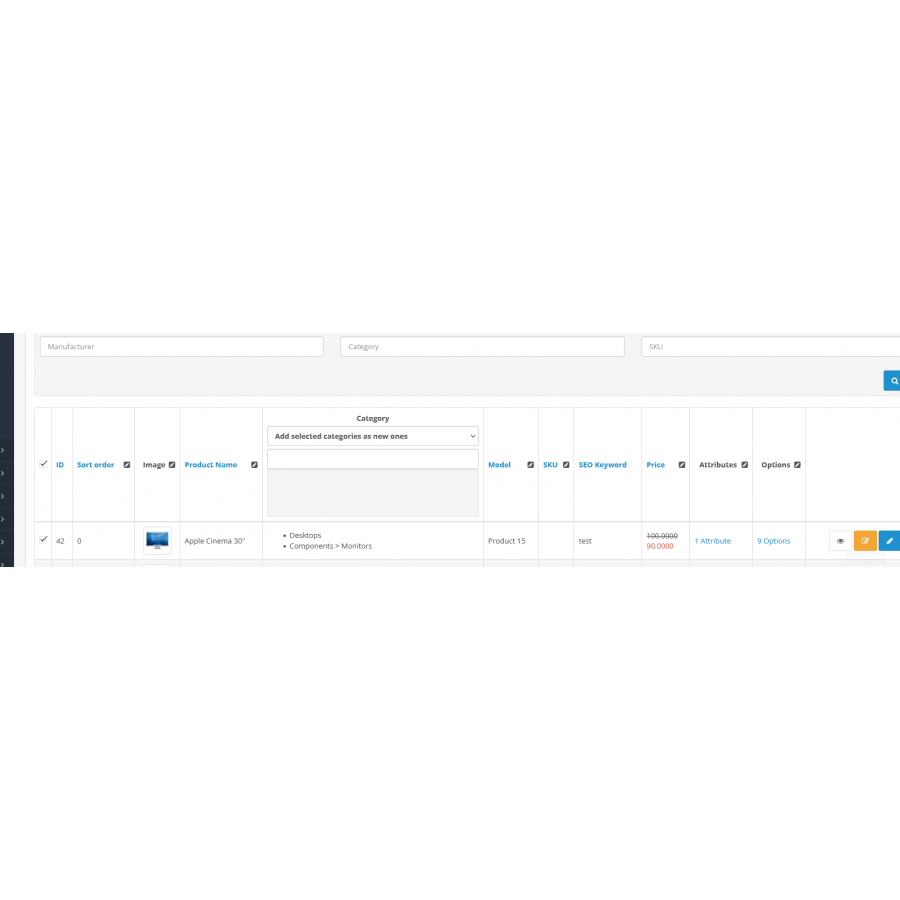
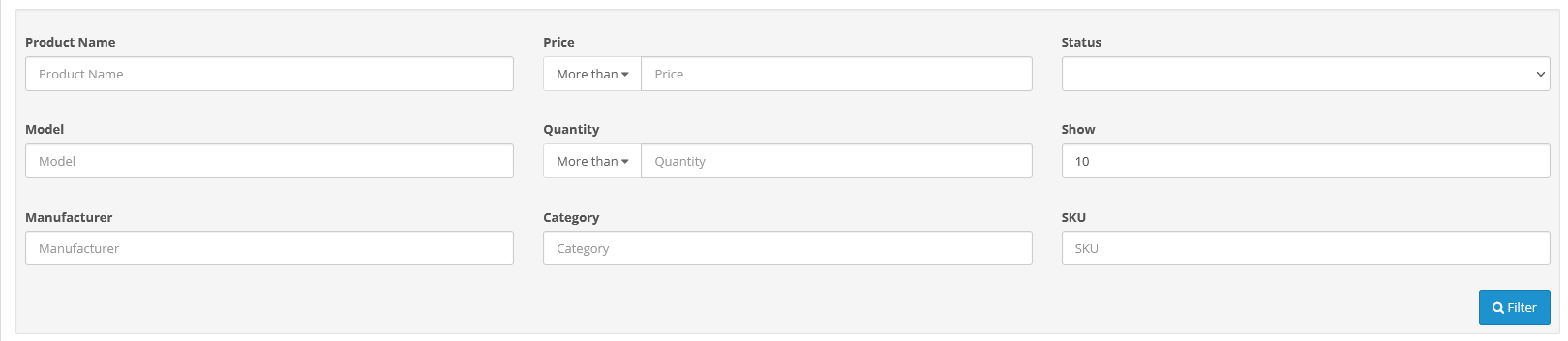
Convenient filter in the module
An advanced filter that allows you to sort by several parameters. The filter itself can be displayed or hidden as needed.

product manager, product management, convenient product manager, bulk editing

Specifications
Characteristics
PHP 7.2-7.4
Compatibility 1.5.x, 2.0.0.0, 2.0.1.0, 2.0.1.1, 2.0.2.0, 2.0.3.1, 2.1.0.1, 2.1.0.2, 2.2.0.0, 2.3.0.0, 2.3.0.1, 2.3.0.2, 3.0. 0.0, 3.0.1.1, 3.0.1.2, 3.0.2.0, 3.0.3.0, 3.0.3.1, 3.0.3.2, 3.0.3.3, 3.0.3.5, 3.0.3.6, 3.0.3.7, 3.0.3.8, 3.0.3.9
Localization Russian, Ukrainian, English
Adaptation to your store Paid
Reviews

There are no reviews for this product, be the first to leave your review.

Answers & questions

No questions about this product, be the first and ask your question.

Installing the module

Module installation instructions:

  1. Before performing any actions related to installing an add-on in Opencart, we recommend creating a backup copy of all site files and the store database ;
  2. Install the localcopy fix (if you don't have it installed yet)
  3. Download the module file for the desired Opencart version from our website ( Follow the installation instructions if there are any in the module archive );
  4. Then go to the "Installing add-ons/extensions" section and click on the " Download " button;
  5. Select the downloaded file and wait for the module to be fully installed and for the text "Application installed successfully" to appear;
  6. After that, go to " Application Manager " and update the modifiers by clicking the " Update " button;
  7. After these actions, you need to add the rights to view and manage the module in the " User Groups " section for the administrator or other users you select by clicking " Select All ".

After completing these steps, your module will be installed and ready to use, and you can start configuring it!


New extensions
In stock
Likes and dislikes of products
0
450 грн
Add to Cart
In stock
In stock
Hide price from guests
1
450 грн
Add to Cart
In stock
Import/Export YML PRO
0
450 грн
Add to Cart
Ask AI about a product
ChatGPT