

Module Mass Management of Shares PRO for OpenCart
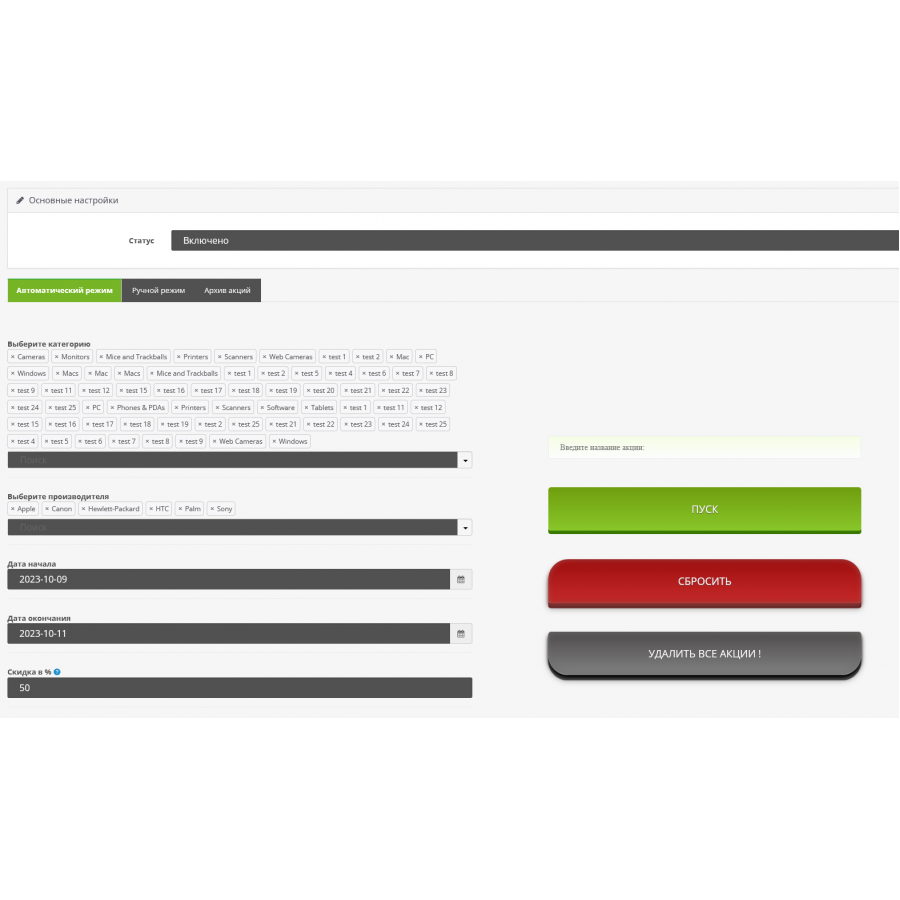
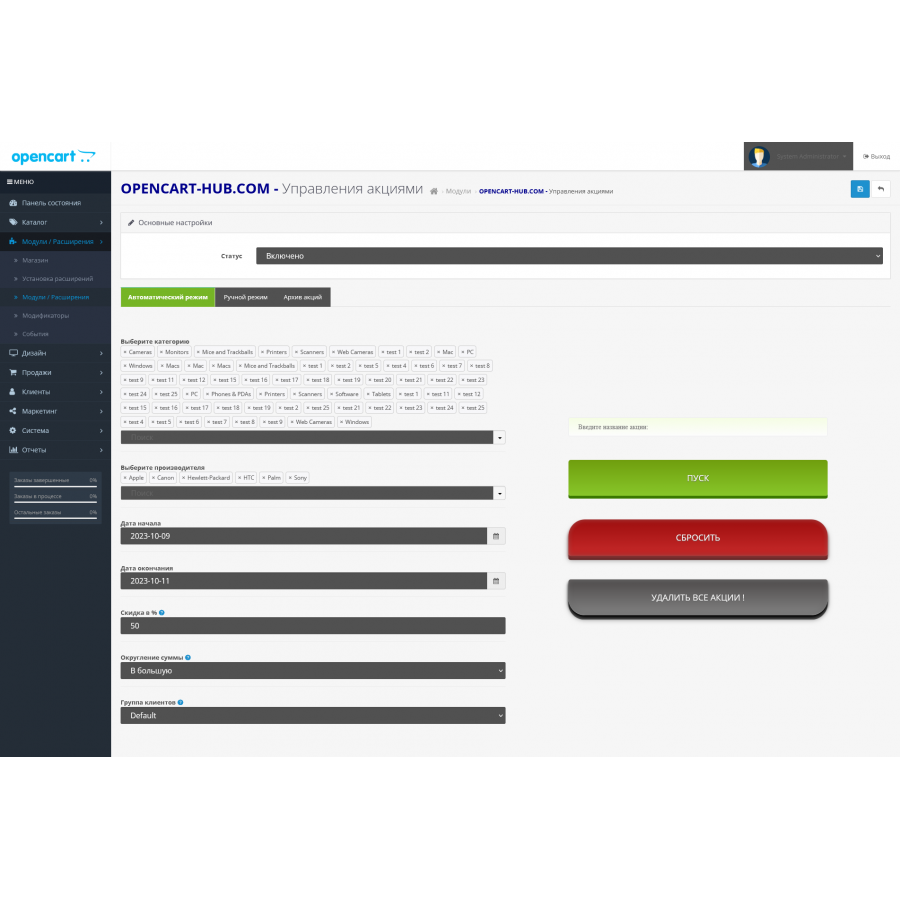
The module allows you to bulk add promotions per category, manufacturer, unfortunately there is no filter based on the cost of the product. Of course you can screw it on.
Automatic addition of promotions is a functionality that allows you to automatically add promotional products on the online store website. For example, you can specify the conditions for calculating a discount on a certain category of goods or on all products from a certain manufacturer.
To do this, you need to set up the correct promotion conditions in the administrative panel of the online store and connect a special module to automatically add promotional products on the site.
This will allow the store to quickly carry out promotions, attract new customers and increase sales.
There are no reviews for this product, be the first to leave your review.
No questions about this product, be the first and ask your question.
Module installation instructions:
- Before performing any actions related to installing an add-on in Opencart, we recommend creating a backup copy of all site files and the store database ;
- Install the localcopy fix (if you don't have it installed yet)
- Download the module file for the desired Opencart version from our website ( Follow the installation instructions if there are any in the module archive );
- Then go to the "Installing add-ons/extensions" section and click on the " Download " button;
- Select the downloaded file and wait for the module to be fully installed and for the text "Application installed successfully" to appear;
- After that, go to " Application Manager " and update the modifiers by clicking the " Update " button;
- After these actions, you need to add the rights to view and manage the module in the " User Groups " section for the administrator or other users you select by clicking " Select All ".