All about product
Description
Specification
Reviews
0
Questions0
Installing the module


Module "Related Options 3" for OpenCart
Product Code: 195
Version: 3.1.9b
In Stock
450 грн
Main specifications
PHP:
7.2-7.4
Compatibility:
OpenCart 3, ocStore 3
Localization:
Ukrainian, Russian, English
Ocmod:
Yes
Adaptation to your store:
Paid
All specifications
Description
The "Linked Options 3" module allows you to specify dependent option values for products (available combinations of related options). This is useful when products have interdependent options (characteristics).
For example, the “Color” and “Size” options for clothing.
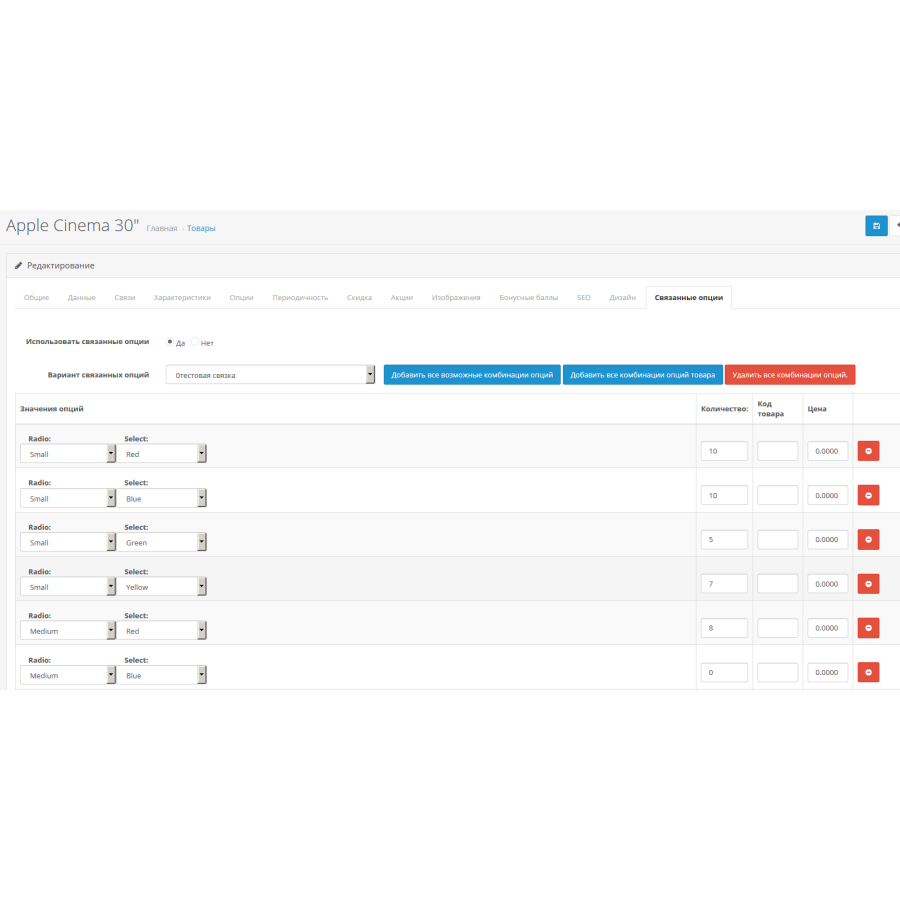
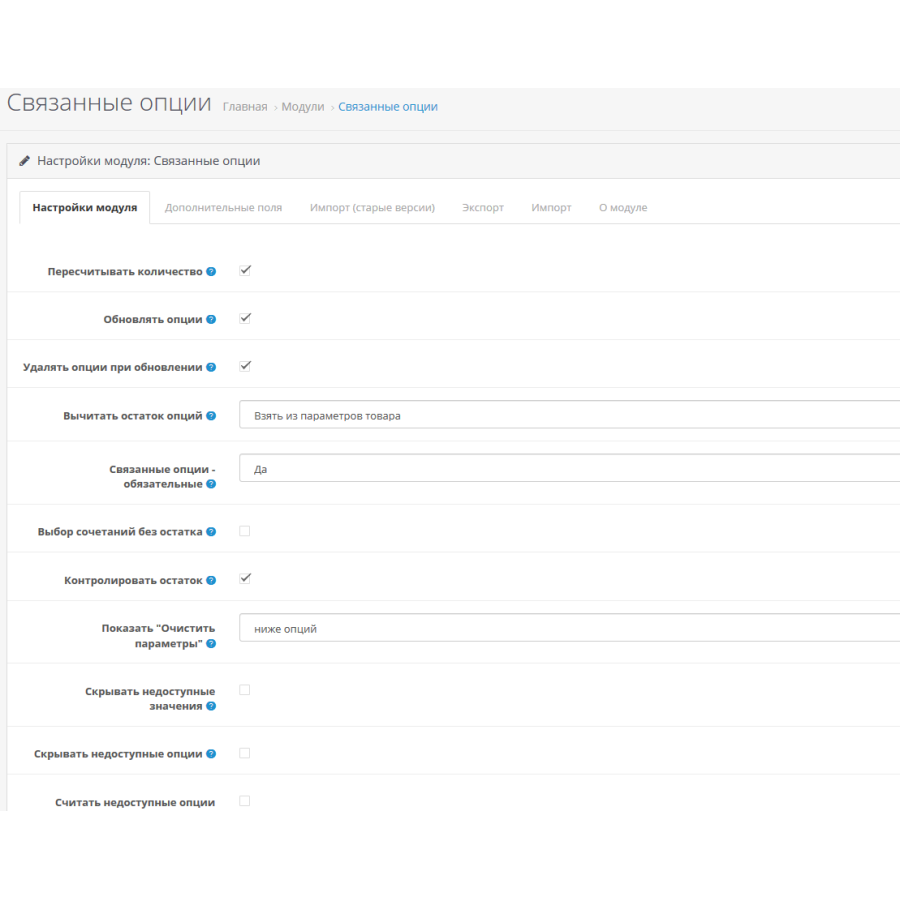
After installing the module, on the module settings page you can specify which options should be linked (define the necessary combinations of related options). On the product editing page, an additional “Related Options” tab will be displayed, where you can set available combinations of option values for a specific product.
Attention - this is a version for Opencart 3.*
Main functions and capabilities of the module:
For example, the “Color” and “Size” options for clothing.
After installing the module, on the module settings page you can specify which options should be linked (define the necessary combinations of related options). On the product editing page, an additional “Related Options” tab will be displayed, where you can set available combinations of option values for a specific product.
Attention - this is a version for Opencart 3.*
Main functions and capabilities of the module:
- combine/link any number of options of the types "List" ("select"), "Switch" ("radio") and "Image" ("image")
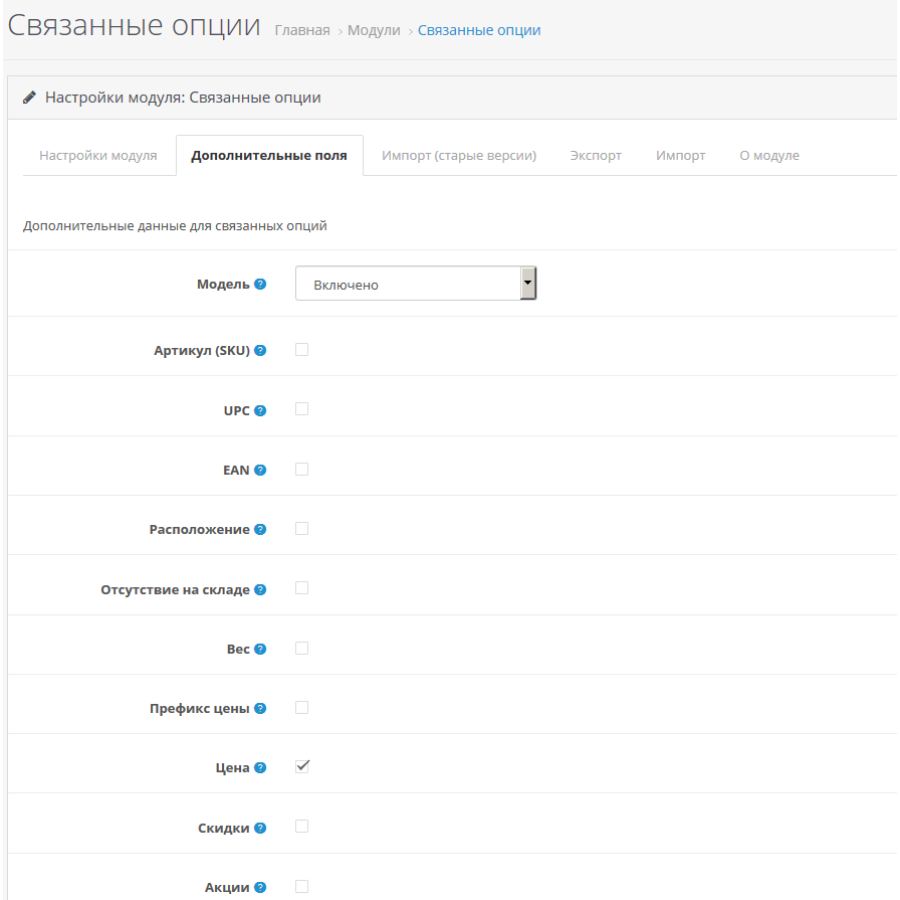
- indicate individual values “Model”, “SKU”, “UPC”, “EAN”, “Location”, “Out of stock”, “Weight”, “Price”, “Price prefix”, “Discounts”, “Promotions” for combinations of related options
- search for products by the value of the "Model" field specified for combinations of related options (in the administration panel and directly in the store)
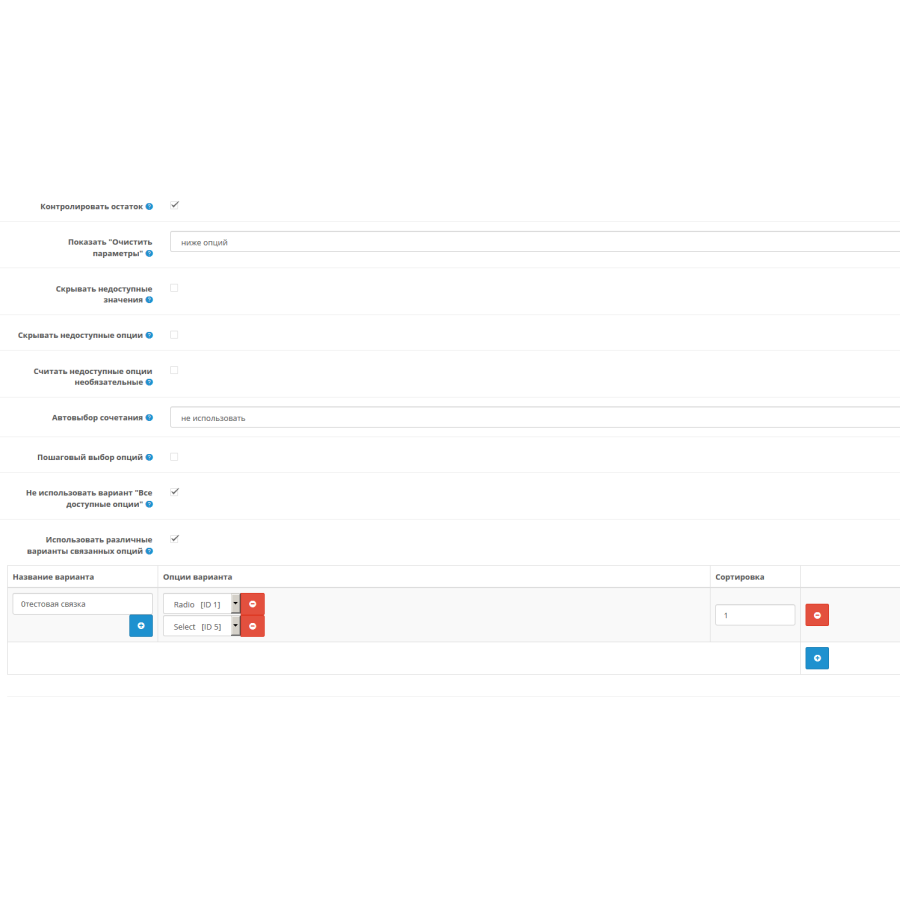
- use different variants of related options for different products (for example, “color+size” for some products, “length+width” for others, etc.)
- limit the buyer's choice only to available combinations of options (other values, depending on the module settings, are either hidden or made inaccessible)
- select the values of related options on the product page in any order, all restrictions will immediately apply to other options (for example, the buyer can start choosing from the last option), or use step-by-step selection of options (the buyer must first select the value of the first option, then the second, etc. .)
- display a "Clear options" button on the product page for the buyer, which resets all selected option values (optional)
- keep track of quantity (remains) in the context of sets of related options
- prohibit adding an item to the cart if the quantity entered by the buyer exceeds the current balance for the selected combination of options (optional)
- automatically select a certain combination of options when a buyer opens a product page (optional)
- do not affect products that do not have associated options (if no associated options are specified for a product, this product and its options will work in the standard way)
- import/export combinations of related options in XLS format (PHPExcel library required)
Specifications
Characteristics
PHP
7.2-7.4
Compatibility
OpenCart 3, ocStore 3
Localization
Ukrainian, Russian, English
Ocmod
Yes
Adaptation to your store
Paid
There are no reviews for this product, be the first to leave your review.
No questions about this product, be the first and ask your question.
Installing the module
Module installation instructions:
- Before performing any actions related to installing an add-on in Opencart, we recommend creating a backup copy of all site files and the store database ;
- Install the localcopy fix (if you don't have it installed yet)
- Download the module file for the desired Opencart version from our website ( Follow the installation instructions if there are any in the module archive );
- Then go to the "Installing add-ons/extensions" section and click on the " Download " button;
- Select the downloaded file and wait for the module to be fully installed and for the text "Application installed successfully" to appear;
- After that, go to " Application Manager " and update the modifiers by clicking the " Update " button;
- After these actions, you need to add the rights to view and manage the module in the " User Groups " section for the administrator or other users you select by clicking " Select All ".