

Product Manager 3.0 module - A convenient product management tool for Opencart
An advanced product manager module in Opencart 3.0 with the ability to quickly edit almost any product parameters. This module should be installed in every online store, because it saves a lot of time for the site administrator.
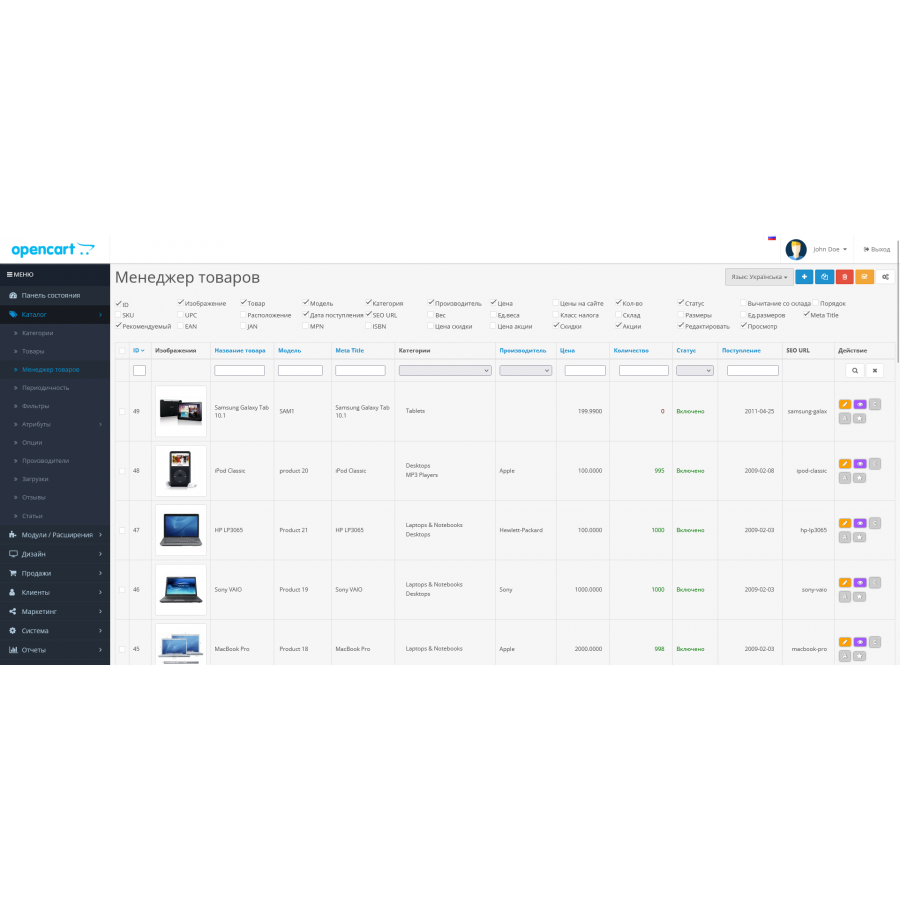
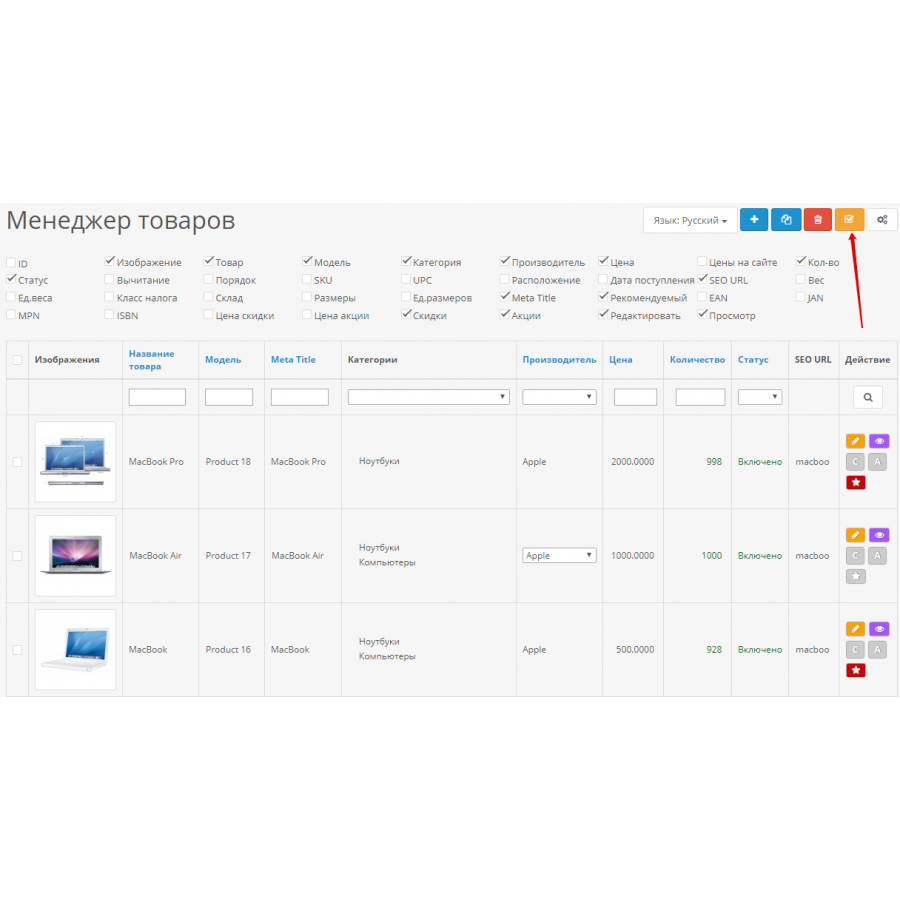
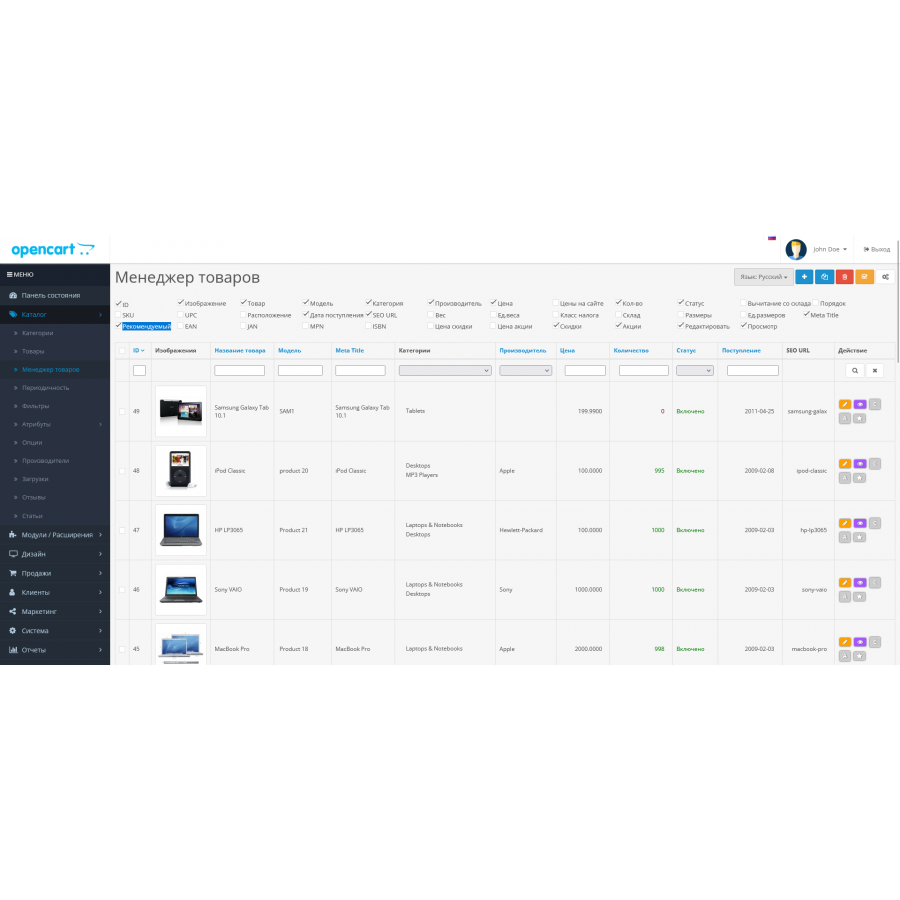
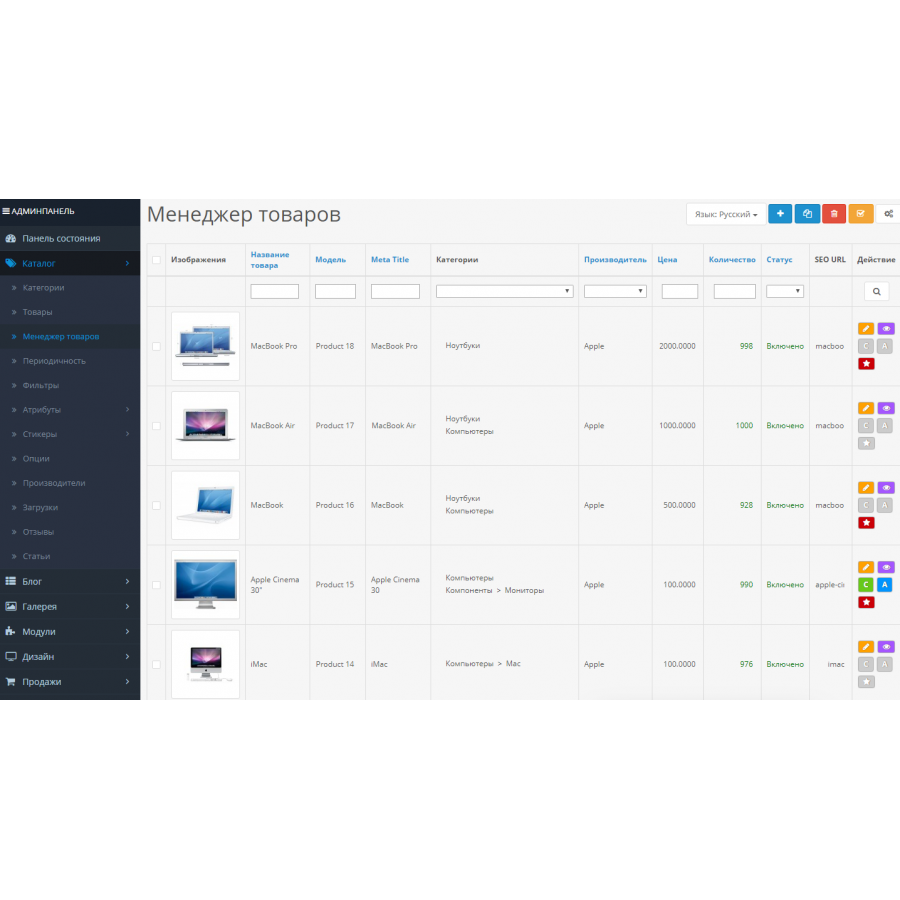
You can customize the product list page to your liking - add any product parameter to the table. You can also enable product editing in pop-up windows, quick product addition to the Recommended module, editing promotions and discounts directly from the product list.
Quick editing of Opencart 3.0 products
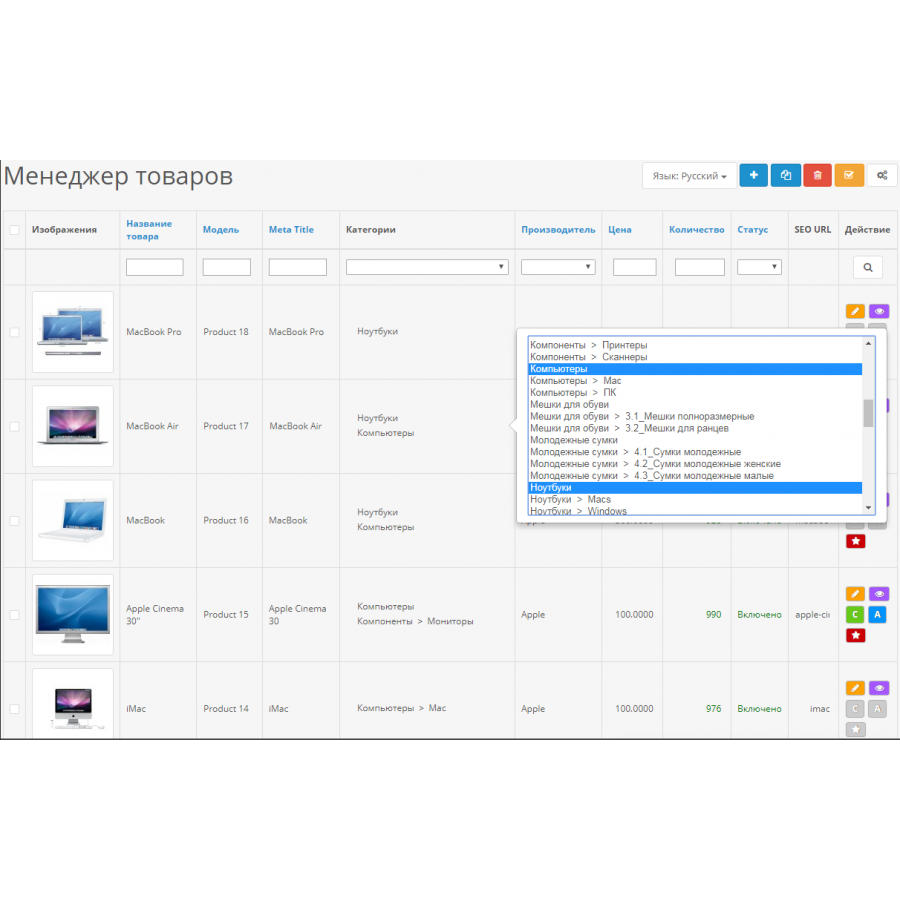
The module is very convenient for editing products directly on the list page - the changed data is instantly saved using ajax, all without extra clicks. You can add the following product parameters to the table, with the possibility of quick editing: ID, Image, Name, Model, Category, Manufacturer, Price, Site prices, Quantity, Status, Removal from stock, Order, SKU, UPC, Location, Date of arrival , SEO URL, Weight, Unit Weight, Tax Class, Stock Status, Dimensions, Unit Sizes, Meta Title, Featured Product, EAN, JAN, MPN, ISBN, Discounts, Promotions.
You can also quickly sort or find products by various admin parameters.
There are no reviews for this product, be the first to leave your review.
No questions about this product, be the first and ask your question.
Module installation instructions:
- Before performing any actions related to installing an add-on in Opencart, we recommend creating a backup copy of all site files and the store database ;
- Install the localcopy fix (if you don't have it installed yet)
- Download the module file for the desired Opencart version from our website ( Follow the installation instructions if there are any in the module archive );
- Then go to the "Installing add-ons/extensions" section and click on the " Download " button;
- Select the downloaded file and wait for the module to be fully installed and for the text "Application installed successfully" to appear;
- After that, go to " Application Manager " and update the modifiers by clicking the " Update " button;
- After these actions, you need to add the rights to view and manage the module in the " User Groups " section for the administrator or other users you select by clicking " Select All ".