All about product
Description
Specification
Reviews
0
Questions0
Installing the module
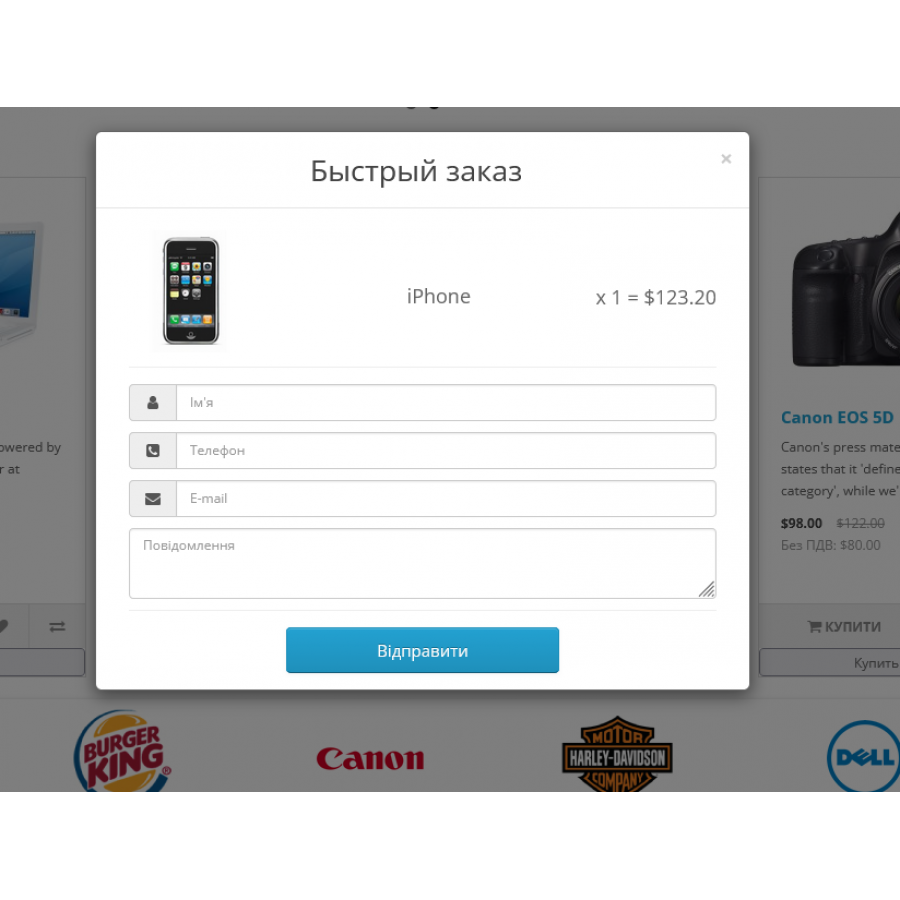

Quick order with options, Google goals for Opencart
Product Code: 468
Version: 1.0
In Stock
450 грн
Main specifications
PHP:
7.2-7.4
Compatibility:
3.0.0.0, 3.0.1.1, 3.0.1.2, 3.0.2.0, 3.0.3.0, 3.0.3.1, 3.0.3.2, 3.0.3.3, 3.0.3.5, 3.0.3.6, 3.0.3.7, 3.0.3.8
Ocmod:
No
Adaptation to your store:
Paid
All specifications
Description
The module allows you to implement quick ordering functionality for your online store on the OpenCart platform. Thanks to it, your customers will be able to place an order instantly, which significantly increases the convenience of use and sales conversion.
- Multi-language support: Connect any number of languages to ensure convenience for users from different countries.
- Wide integration: The module works on product cards, category pages, search results, manufacturer pages, as well as standard OpenCart modules such as recommended products, new products, best sellers, etc.
- Customizable fields: Collect the necessary information from buyers - name, phone, email, comment and consent to the "Security Policy". You can easily enable or disable these fields from the control panel.
- Mandatory field control: Require mandatory fields to be filled. Fields that are not filled in will be highlighted for ease of filling.
- Validation of contact data: Verify the phone number using a mask for Ukraine (can be turned on/off through admin). Customization for other masks is also available.
- Validation of mandatory options: Ability to configure validation of mandatory options.
- Availability notification: Inform users about the insufficient quantity of the product in the warehouse (optionally enabled/disabled in the settings).
- Analytics integration: Built-in support for Google Analytics to track all stages of the order process.
- Advanced analytics: Sourcebuster JS integration for detailed analysis of the sources of visitors to your site.
- Accounting of the selected options: The module "remembers" the selected options and the quantity of the product.
- Automatic notifications: Send standard letters about the order to both the store owner and the buyer (if the email is specified).
- Order registration: Automatic registration of new orders in the admin of your online store.
Please note that the module is no longer developed or supported by the developer. Sold as is! No returns or exchanges.
Specifications
Characteristics
PHP
7.2-7.4
Compatibility
3.0.0.0, 3.0.1.1, 3.0.1.2, 3.0.2.0, 3.0.3.0, 3.0.3.1, 3.0.3.2, 3.0.3.3, 3.0.3.5, 3.0.3.6, 3.0.3.7, 3.0.3.8
Ocmod
No
Adaptation to your store
Paid
There are no reviews for this product, be the first to leave your review.
No questions about this product, be the first and ask your question.
Installing the module
Module installation instructions:
- Before performing any actions related to installing an add-on in Opencart, we recommend creating a backup copy of all site files and the store database ;
- Install the localcopy fix (if you don't have it installed yet)
- Download the module file for the desired Opencart version from our website ( Follow the installation instructions if there are any in the module archive );
- Then go to the "Installing add-ons/extensions" section and click on the " Download " button;
- Select the downloaded file and wait for the module to be fully installed and for the text "Application installed successfully" to appear;
- After that, go to " Application Manager " and update the modifiers by clicking the " Update " button;
- After these actions, you need to add the rights to view and manage the module in the " User Groups " section for the administrator or other users you select by clicking " Select All ".