



Module Redirect Universal - Redirect manager for OpenCart
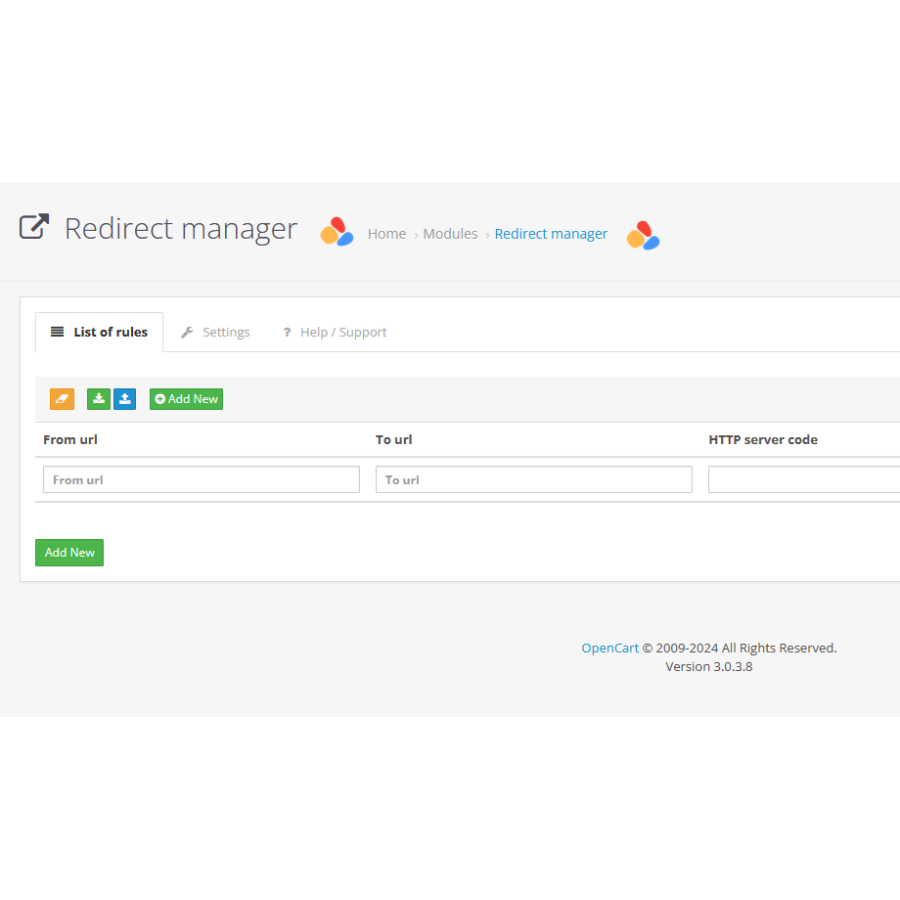
The module adds to OpenCart the functionality of redirects from site pages to internal ones.
Where it can be used
If you are creating a new site structure or migrating your site from another engine (CMS), this module will help you painlessly create redirect lists from one URL to another.
If you find it difficult to edit the rules in your .htaccess file or you don't have one.
There are also cases when the wrong link was given to your site, it was written with an error, then you can redirect visitors to the correct page.
The module supports the following HTTP server codes:
- 301 - Moved Permanently Recommended code for pages that need to be redirected, and you are sure that such a page does not exist and will not exist.
- 302 - Temporarily moved Code for pages that may be temporarily missing, for example, a product page that was previously there and may appear in the future.
- 410 - Page not found (Gone) This code is intended for "Strong" deletion. It is assumed that the PS will deal with NOT FOUND pages, but as practice shows, pages with code 404 remain in the index for a long time. and 410 helps to throw them out of there faster.
- 404 – Page not found. This code is left for the future.
- 403 – Access Denied. Very often, your site is checked by various scripts at known addresses. Such measures receive mainly 404 errors, but at the same time create a small but load. To prevent such a situation, a response code is used.
The module has the ability to use regular expressions in redirect rules
About regular expressions and examples - see the module
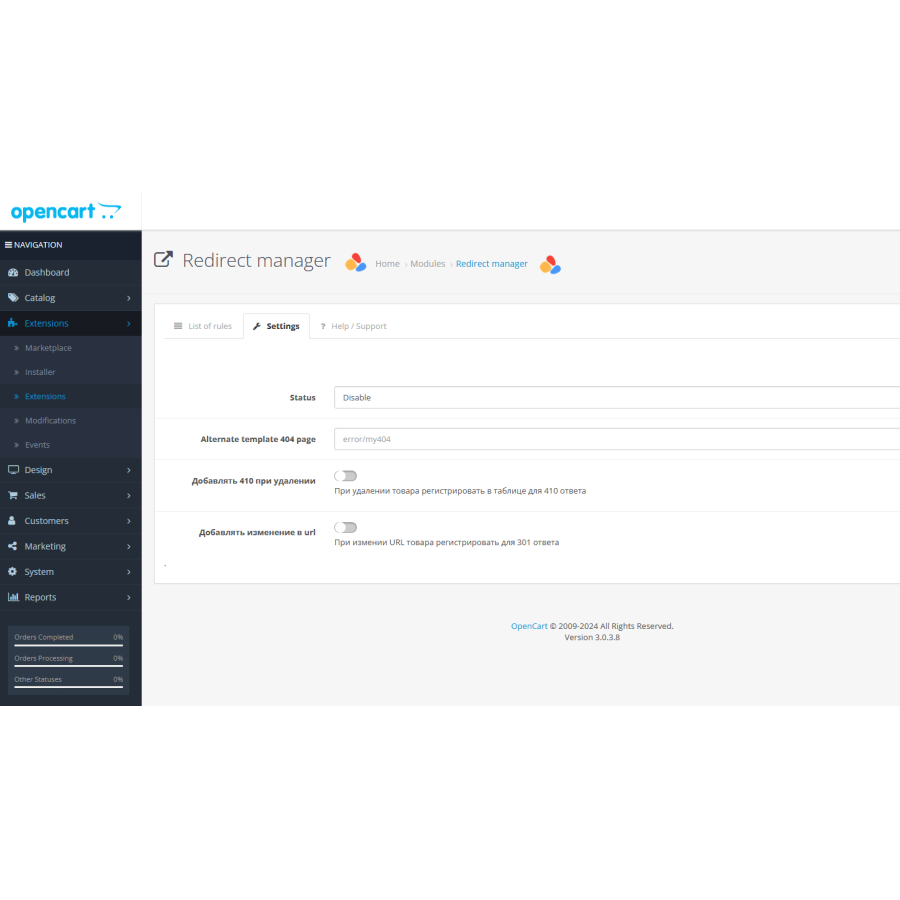
When removing a product, the module adds a rule for page 410 (controlled by a separate setting)
When editing a product, adds a rule for 301 redirects from old to new (controlled by module settings)
There are no reviews for this product, be the first to leave your review.
No questions about this product, be the first and ask your question.
Module installation instructions:
- Before performing any actions related to installing an add-on in Opencart, we recommend creating a backup copy of all site files and the store database ;
- Install the localcopy fix (if you don't have it installed yet)
- Download the module file for the desired Opencart version from our website ( Follow the installation instructions if there are any in the module archive );
- Then go to the "Installing add-ons/extensions" section and click on the " Download " button;
- Select the downloaded file and wait for the module to be fully installed and for the text "Application installed successfully" to appear;
- After that, go to " Application Manager " and update the modifiers by clicking the " Update " button;
- After these actions, you need to add the rights to view and manage the module in the " User Groups " section for the administrator or other users you select by clicking " Select All ".





