Royal - Responsive Universal Opencart Template with 200+ Settings
Royal is a template that has everything you need to create an online store that sells, thanks to the four built-in schemes it is ideal for selling any product. The template has a large set of modules that are configurable from the admin panel, the description of which is presented below, as well as over 200 additional settings, so you don’t have to spend money on purchasing modules and adapting them to the template. The template is written in “clean code”
Watch the demo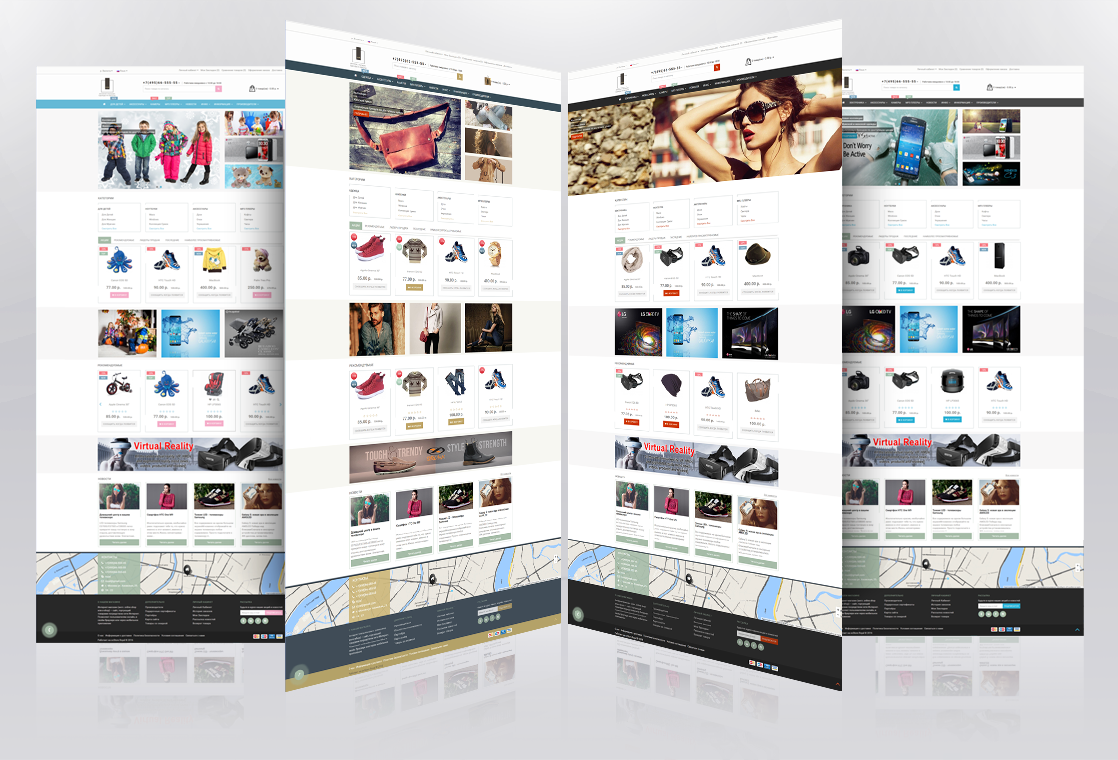
The template has a quick installation (Quickstart) - installation in 6 clicks.
Modules:
. Quick template installation ( Quickstart ).
Flexible template customization from the admin panel.
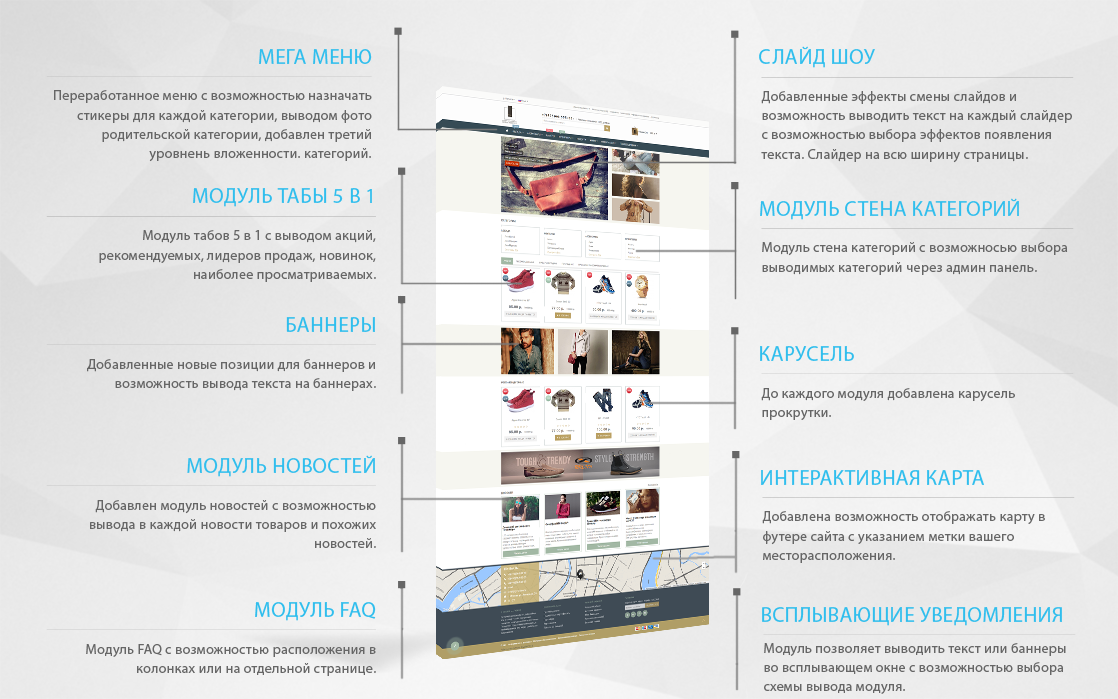
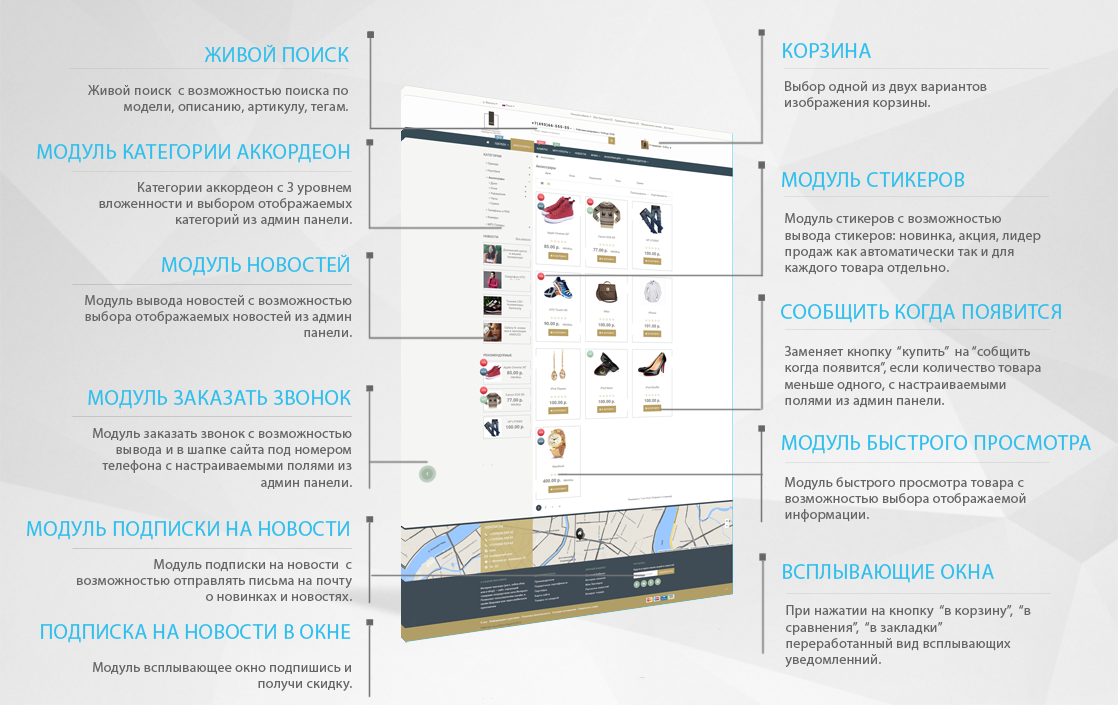
. News module with the ability to add products and related news to each news item.
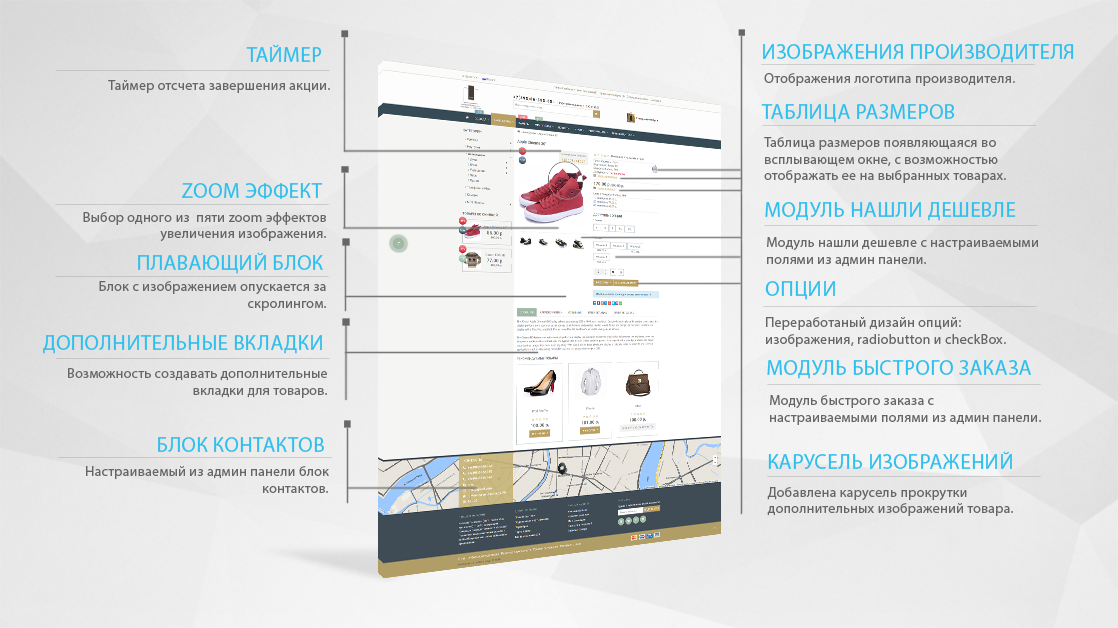
. Quick order module taking into account options and quantity.
. Module Found cheaper.
. Callback Order module with display in the header or on the side of the site.
. Notify me when module appears .
. News Subscription Module.
. Quick View module.
. Mega menu module.
. Live Search module with the ability to search by model, description, article number, tags.
. Category Wall module with the ability to select categories.
. Categories accordion module, with the ability to select categories and 3 levels of category nesting.
. Tabs Module 5 in 1 most popular, recommended, best sellers, new products, promotions.
. Size chart module with the ability to display for specific products.
. Module for displaying the latest product reviews.
. The module you were looking at.
. Customizable stickers for products and categories (new products, promotions, bestsellers).
Added new positions for slider and banners.
. Redesigned pop-up window when clicking buy, bookmark, compare.
Added a carousel for modules: recommended promotions, best sellers, new products.
Added slide transition effects in slideshows.
. Ability to display text or buttons on banners and slides.
. Ability to create additional tabs in the product card for products.
. Select a product card from one of 5 Zoom effects to view the product image.
. A countdown timer until the end of the promotion in the product card.
Interactive map in the footer, with the ability to set your own marker for the map.
. Over 200 additional theme settings and modules.
. 4 color schemes.
.new Vertical menu module.
. new FAQ module with the ability to be placed in columns or on a separate page.
. new Pop-up message module (allows you to display text or banners in a pop-up window with the ability to choose the module output scheme).
. new Module pop-up window subscribe and get a discount.
. new Schema.org product card data micro-markup.
. new Store reviews module .
. And much more...
License:
The template is implemented on the principle of "1 buyer - 1 domain and all its subdomains". The license is issued without time limits and the ability to change the domain once for free.
Selling, publicly disclosing, assigning, and other actions involving the software are prohibited and constitute a violation of the developer's copyright!
Discounts are available for web studios, developers, and when purchasing an additional license.
*Discounts provided after the first purchase.
Technical support:
Support is provided via email. Support is only available to users on the list of those who purchased the template.
There are no reviews for this product, be the first to leave your review.
No questions about this product, be the first and ask your question.
Module installation instructions:
- Before performing any actions related to installing an add-on in Opencart, we recommend creating a backup copy of all site files and the store database ;
- Install the localcopy fix (if you don't have it installed yet)
- Download the module file for the desired Opencart version from our website ( Follow the installation instructions if there are any in the module archive );
- Then go to the "Installing add-ons/extensions" section and click on the " Download " button;
- Select the downloaded file and wait for the module to be fully installed and for the text "Application installed successfully" to appear;
- After that, go to " Application Manager " and update the modifiers by clicking the " Update " button;
- After these actions, you need to add the rights to view and manage the module in the " User Groups " section for the administrator or other users you select by clicking " Select All ".