
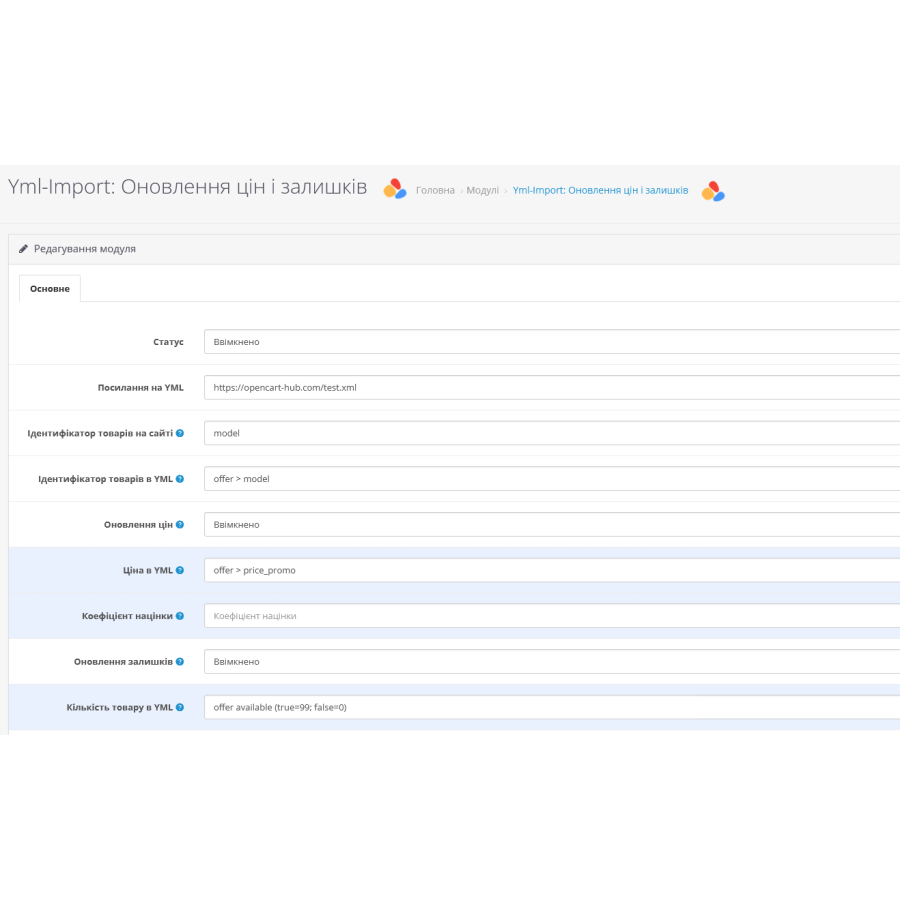

Yml-Import module - updating prices and balances from a YML file for OpenCart
Yml-Import for OpenCart - a module for updating prices and quantities of products
The Yml-Import module for OpenCart is designed to update product prices and quantities from a supplier's XML file in "yml" format. The file must start with the yml_catalog tag and contain the offers block, where each product is marked with a separate offer block.
Yml-Import allows users to specify exactly which XML tags contain product prices and quantities. The possibility to update prices or quantities separately is also present. In addition, it is possible to automate the process through CRON on the hosting for periodic updating of the directory from the yml file at the specified link.
The Yml-Import module is easily extensible, allowing you to configure updates of other product parameters as needed. Users with basic knowledge of OpenCart can create copies of the module to work with different vendors. Technical support is also available for a nominal fee for those who do not have the time or experience to configure the module themselves.
Installation instructions:
- Download the module through the admin panel under "Extensions" -> "Add-ons".
- Go to Extensions -> Extensions -> Modules and activate the Yml-Import module.
- Edit module settings. Turn it on and adjust all the settings according to your needs. Save the settings.
- Check the operation of the module.
- Done!
 ymlup.ocmod.zip
There are no reviews for this product, be the first to leave your review.
No questions about this product, be the first and ask your question.
Module installation instructions:
- Before performing any actions related to installing an add-on in Opencart, we recommend creating a backup copy of all site files and the store database ;
- Install the localcopy fix (if you don't have it installed yet)
- Download the module file for the desired Opencart version from our website ( Follow the installation instructions if there are any in the module archive );
- Then go to the "Installing add-ons/extensions" section and click on the " Download " button;
- Select the downloaded file and wait for the module to be fully installed and for the text "Application installed successfully" to appear;
- After that, go to " Application Manager " and update the modifiers by clicking the " Update " button;
- After these actions, you need to add the rights to view and manage the module in the " User Groups " section for the administrator or other users you select by clicking " Select All ".





