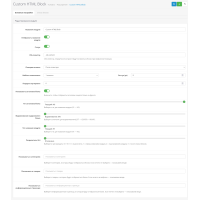

Native LazyLoad image module for Opencart
The number of round trips to the server can be easily reduced using the technique of post-loading images that are out of scope (the first screen). That is, initially only those images that the user is able to see will be loaded, the rest will be loaded as the page scrolls.
In 2020, we can already say with confidence that all modern browsers
support lazy loading of images natively. Which gives us the opportunity
to implement LazyLoad without connecting additional scripts. To do this,
it is enough to add the loading attribute to the img tag, which is what
this add-on does.
Native LazyLoad for Opencart is a very simple solution that can bring you significant traffic savings and increase page loading speed, and most importantly, reduce server load.
 native-lazyload_oc20-23.ocmod.zip
There are no reviews for this product, be the first to leave your review.
No questions about this product, be the first and ask your question.
Module installation instructions:
- Before performing any actions related to installing an add-on in Opencart, we recommend creating a backup copy of all site files and the store database ;
- Install the localcopy fix (if you don't have it installed yet)
- Download the module file for the desired Opencart version from our website ( Follow the installation instructions if there are any in the module archive );
- Then go to the "Installing add-ons/extensions" section and click on the " Download " button;
- Select the downloaded file and wait for the module to be fully installed and for the text "Application installed successfully" to appear;
- After that, go to " Application Manager " and update the modifiers by clicking the " Update " button;
- After these actions, you need to add the rights to view and manage the module in the " User Groups " section for the administrator or other users you select by clicking " Select All ".