

Cookies Agreement v2 module for OpenCart
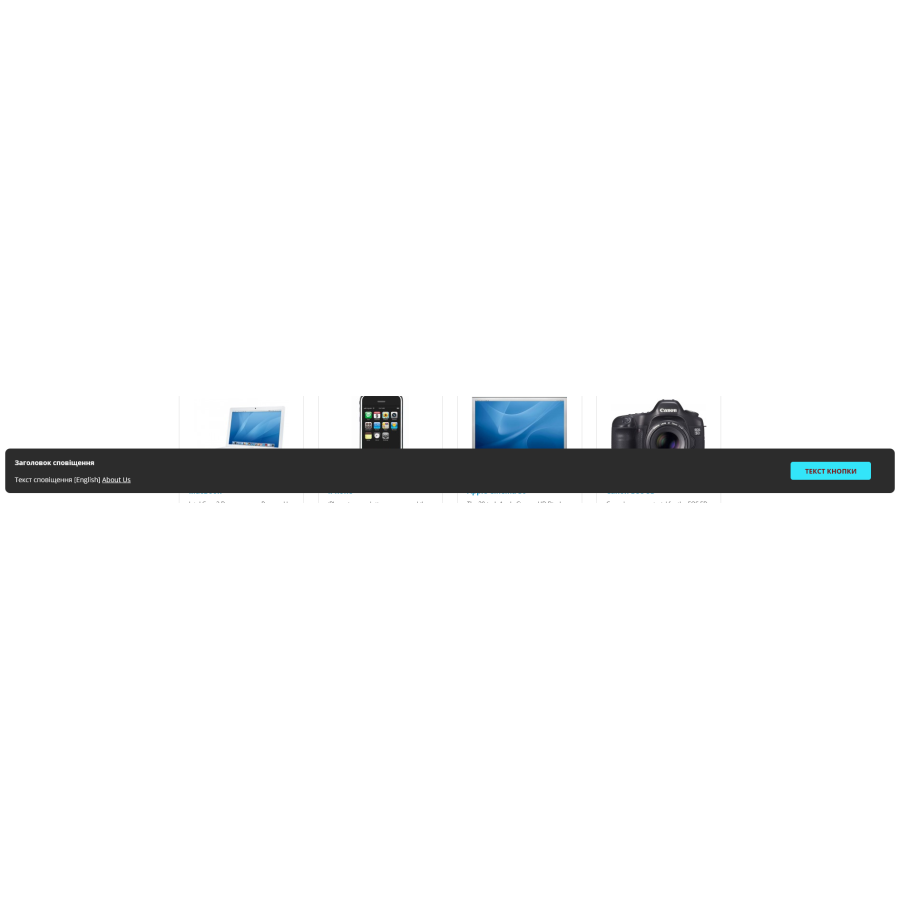
Module for displaying a warning about the use of cookies on the site.
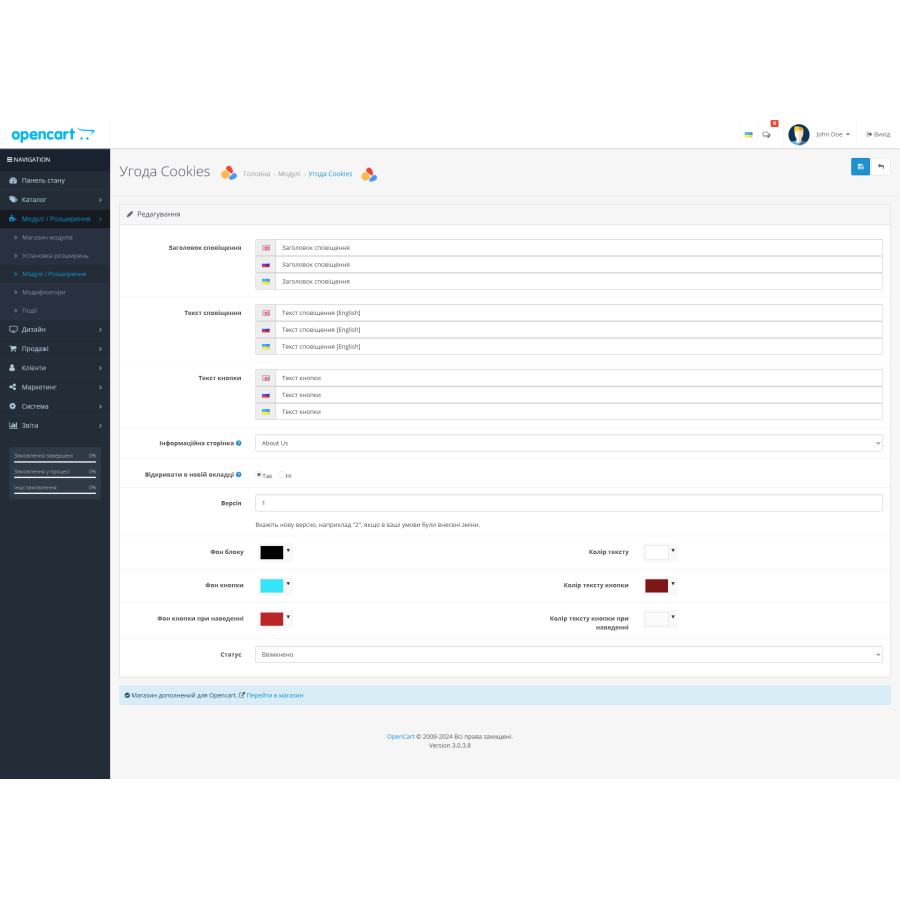
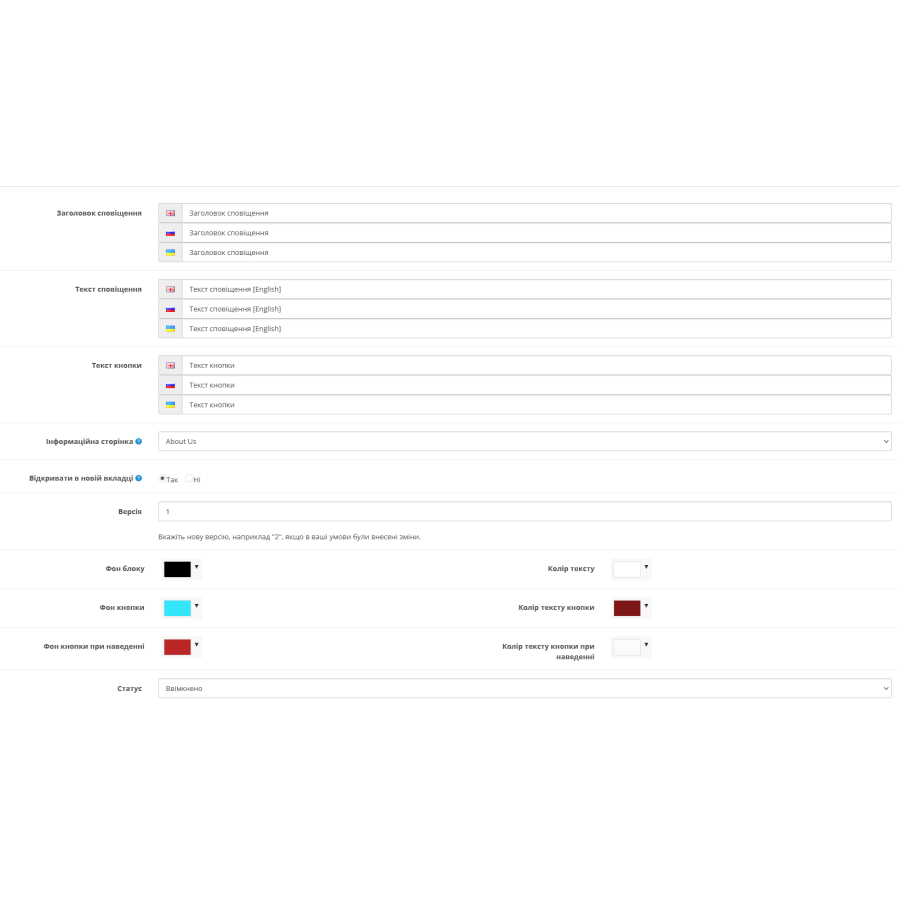
The following data can be specified in the module:
1. Header of the message
2. Message text
3. Notification button text
4. Select an information page, the name and link of which will be displayed at the end of the text.
5. Whether or not to open the link in a new tab
6. Version. This item is responsible for the Cookies record itself. If a person has agreed to the terms and you have subsequently made any changes to the terms. Then you can change the version number so that old customers get a new block asking them to accept the new agreement.
You can also customize the colors for the notification:
1. Block background
2. Text color
3. Button background
4. Button text color
5. The background of the button during hovering
6. Button text color when hovering
There are no reviews for this product, be the first to leave your review.
No questions about this product, be the first and ask your question.
Module installation instructions:
- Before performing any actions related to installing an add-on in Opencart, we recommend creating a backup copy of all site files and the store database ;
- Install the localcopy fix (if you don't have it installed yet)
- Download the module file for the desired Opencart version from our website ( Follow the installation instructions if there are any in the module archive );
- Then go to the "Installing add-ons/extensions" section and click on the " Download " button;
- Select the downloaded file and wait for the module to be fully installed and for the text "Application installed successfully" to appear;
- After that, go to " Application Manager " and update the modifiers by clicking the " Update " button;
- After these actions, you need to add the rights to view and manage the module in the " User Groups " section for the administrator or other users you select by clicking " Select All ".