All about product
Description
Specification
Reviews
1
Questions0
Installing the module
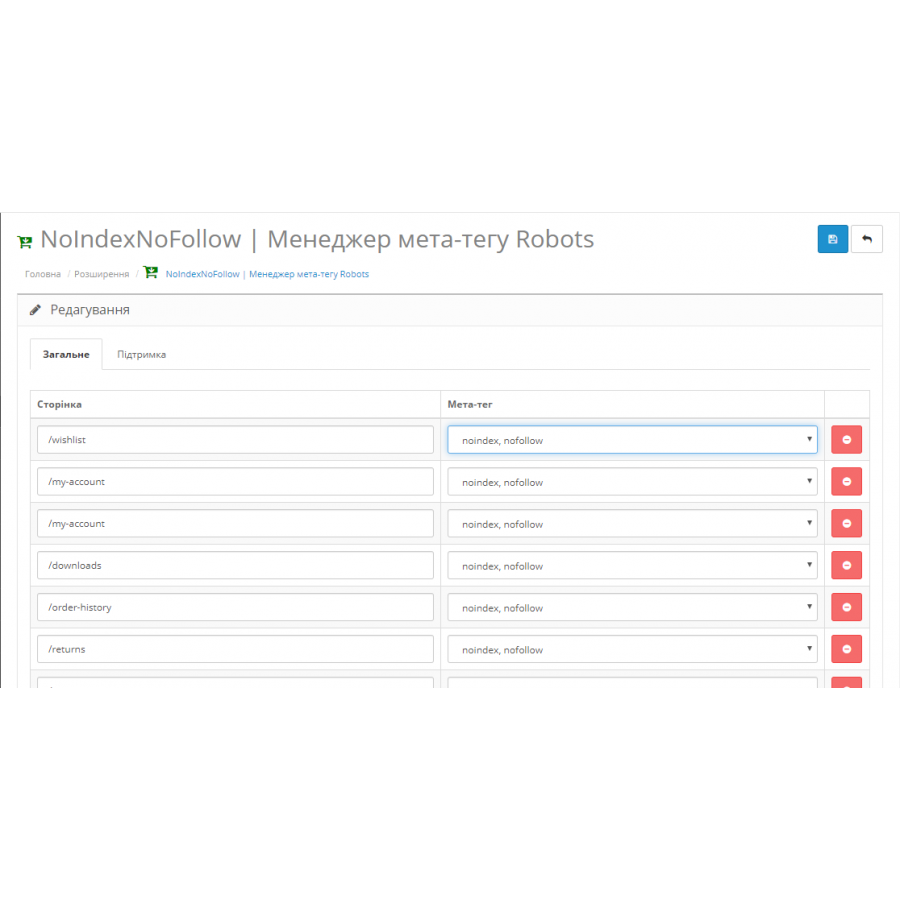

NoIndexNoFollow Module - Robots meta tag manager for Opencart
Product Code: 349
Version: 1.2.2
In Stock
450 грн
Main specifications
PHP:
7.2-7.4
Compatibility:
3.0.0.0, 3.0.1.1, 3.0.1.2, 3.0.2.0, 3.0.3.0, 3.0.3.1, 3.0.3.2, 3.0.3.3, 3.0.3.5, 3.0.3.6, 3.0.3.7, 3.0.3.8
Localization:
Russian, Ukrainian, English
Ocmod:
Yes
Adaptation to your store:
Paid
All specifications
Description
A handy SEO tool for adding robots meta tag to your website pages.
It is necessary to close the technical page from indexing, for example, the registration page or quick registration of the Simple module - simplified registration and ordering , blog modules and various third-party modules. No problem, just add the page address to the module and select " noindex, nofollow ". No need to edit many files manually, read information on the forum how to do it.
Specifications
Characteristics
PHP
7.2-7.4
Compatibility
3.0.0.0, 3.0.1.1, 3.0.1.2, 3.0.2.0, 3.0.3.0, 3.0.3.1, 3.0.3.2, 3.0.3.3, 3.0.3.5, 3.0.3.6, 3.0.3.7, 3.0.3.8
Localization
Russian, Ukrainian, English
Ocmod
Yes
Adaptation to your store
Paid
він дуже зручний!
просто пишеш заслання і все! потрібний тобі тег проставляється і жодних танців із бубном.
для Сео - незамінний модуль!
просто пишеш заслання і все! потрібний тобі тег проставляється і жодних танців із бубном.
для Сео - незамінний модуль!
Is this review helpful?
0
No questions about this product, be the first and ask your question.
Installing the module
Module installation instructions:
- Before performing any actions related to installing an add-on in Opencart, we recommend creating a backup copy of all site files and the store database ;
- Install the localcopy fix (if you don't have it installed yet)
- Download the module file for the desired Opencart version from our website ( Follow the installation instructions if there are any in the module archive );
- Then go to the "Installing add-ons/extensions" section and click on the " Download " button;
- Select the downloaded file and wait for the module to be fully installed and for the text "Application installed successfully" to appear;
- After that, go to " Application Manager " and update the modifiers by clicking the " Update " button;
- After these actions, you need to add the rights to view and manage the module in the " User Groups " section for the administrator or other users you select by clicking " Select All ".