OrderField OpenCart module — additional product fields in the order for OpenCart
OrderField — additional product fields in orders and emails
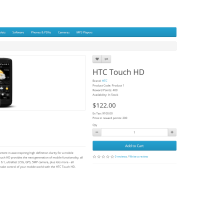
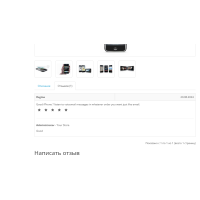
OrderField is a universal module that allows you to display additional product characteristics in the administrative part of OpenCart and on the buyer's side. The module displays additional fields in the order, invoice, cart, and email messages.
With OrderField you can display:
- weight of the goods
- photo
- dimensions
- article
- arrangement
- manufacturer
- any other fields of the product table
The module also allows you to display the total weight of the order and perform dynamic sorting of products in orders.
Supported OpenCart parts
- viewing the order in the admin area
- print invoice in admin
- cart page in the store *
- email to the buyer *
* To work on the buyer's side, additional modifiers must be installed (included).
Flexible field selection
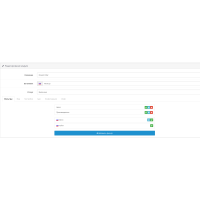
The module automatically detects all available fields from the product table, allowing you to select any of them to display. The fields can be displayed in the following format:
- plain text
- balance
- lengths
The manufacturer_id field is automatically converted to the manufacturer name.
Output order and format
- fields are easily sorted by simple drag and drop
- For weight and length, a choice of units of measurement is available according to the store language
- support for multilingual names of each field
Product images
- displaying product photos in the admin area, invoice and buyer's letter
- the picture in the order is clickable — opens the product page in the store
- clicking on the product name opens its editing in the admin area
Dynamic product sorting
Sorting is possible by the following parameters:
- name
- model
- number
- price
- sum
- additional module fields
Sorting works in order and invoice views. The "correct" natural sorting is used.
Total order weight
- display of the total weight of goods in the admin area
- display in the account
- display in the buyer's email list
If there are no items with weight in the order, the total weight is not displayed.
Correct work with empty and deleted products
- empty values are simply skipped without errors
- if the product is deleted from the database - additional fields remain empty
There are no reviews for this product, be the first to leave your review.
No questions about this product, be the first and ask your question.
Module installation instructions:
- Before performing any actions related to installing an add-on in Opencart, we recommend creating a backup copy of all site files and the store database ;
- Install the localcopy fix (if you don't have it installed yet)
- Download the module file for the desired Opencart version from our website ( Follow the installation instructions if there are any in the module archive );
- Then go to the "Installing add-ons/extensions" section and click on the " Download " button;
- Select the downloaded file and wait for the module to be fully installed and for the text "Application installed successfully" to appear;
- After that, go to " Application Manager " and update the modifiers by clicking the " Update " button;
- After these actions, you need to add the rights to view and manage the module in the " User Groups " section for the administrator or other users you select by clicking " Select All ".