



Watermark and Webp conversion module for product images for Opencart
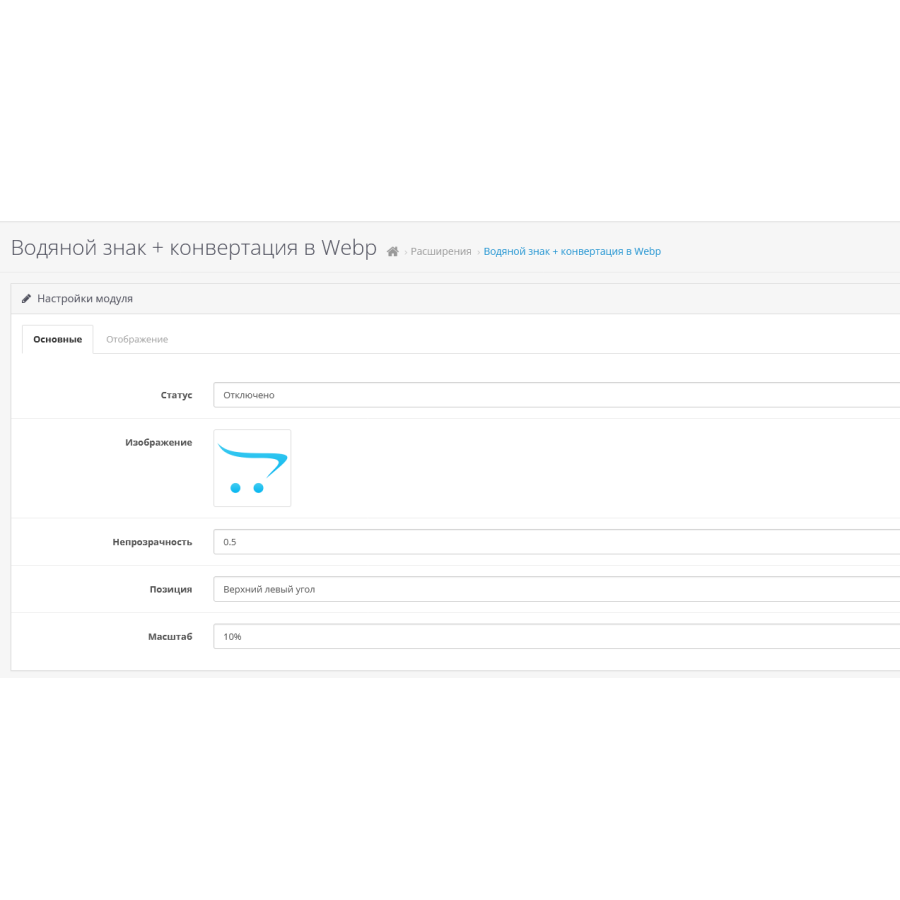
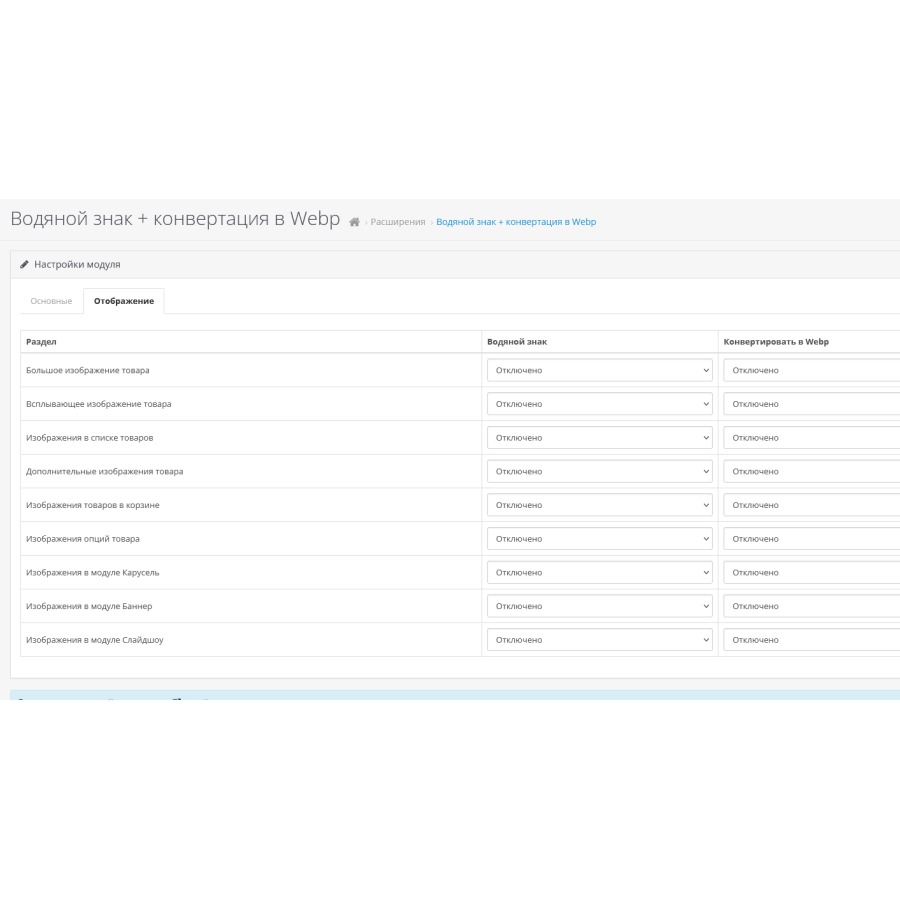
The Watermark and Convert to Webp for Product Images module for OpenCart is a powerful tool for online stores that not only protects product images, but also provides extensive customization options. The application provides a simple and effective way to integrate watermarks into product photos, allowing you to emphasize your brand and protect your content from unauthorized use.
Main functions:
- Image Protection: Easily watermark any product image using your logo or other graphic elements.
- Load optimization: The module converts images to WebP format, which reduces page load time and improves the performance of your site.
- Customization flexibility: Adjust the transparency, scale, and placement of the watermark to suit your needs.
- Intuitive interface: Convenient management of all aspects of the watermark through the OpenCart admin panel.
- Theme compatibility: Support for various themes, including standard and custom ones.
- Secure installation: Installs using OCMOD technology, which ensures reliability and security without changing the main files of the site.
Advantages:
- Image Personalization: Enables you to personalize product images, making them more unique and recognizable.
- Improved user experience: Fast downloads due to conversion to WebP format, which has a positive impact on user satisfaction.
- Increased security: Protect your product images from copying and unauthorized use.
The Watermark for Products module is designed for those who want to not only protect their content, but also improve the efficiency of their online store. It is a reliable tool for those who strive for a professional and safe presentation of their goods in the online space.
Designed for standard theme. Adaptation should be made for other topics. Consider this before buying.There are no reviews for this product, be the first to leave your review.
No questions about this product, be the first and ask your question.
Module installation instructions:
- Before performing any actions related to installing an add-on in Opencart, we recommend creating a backup copy of all site files and the store database ;
- Install the localcopy fix (if you don't have it installed yet)
- Download the module file for the desired Opencart version from our website ( Follow the installation instructions if there are any in the module archive );
- Then go to the "Installing add-ons/extensions" section and click on the " Download " button;
- Select the downloaded file and wait for the module to be fully installed and for the text "Application installed successfully" to appear;
- After that, go to " Application Manager " and update the modifiers by clicking the " Update " button;
- After these actions, you need to add the rights to view and manage the module in the " User Groups " section for the administrator or other users you select by clicking " Select All ".