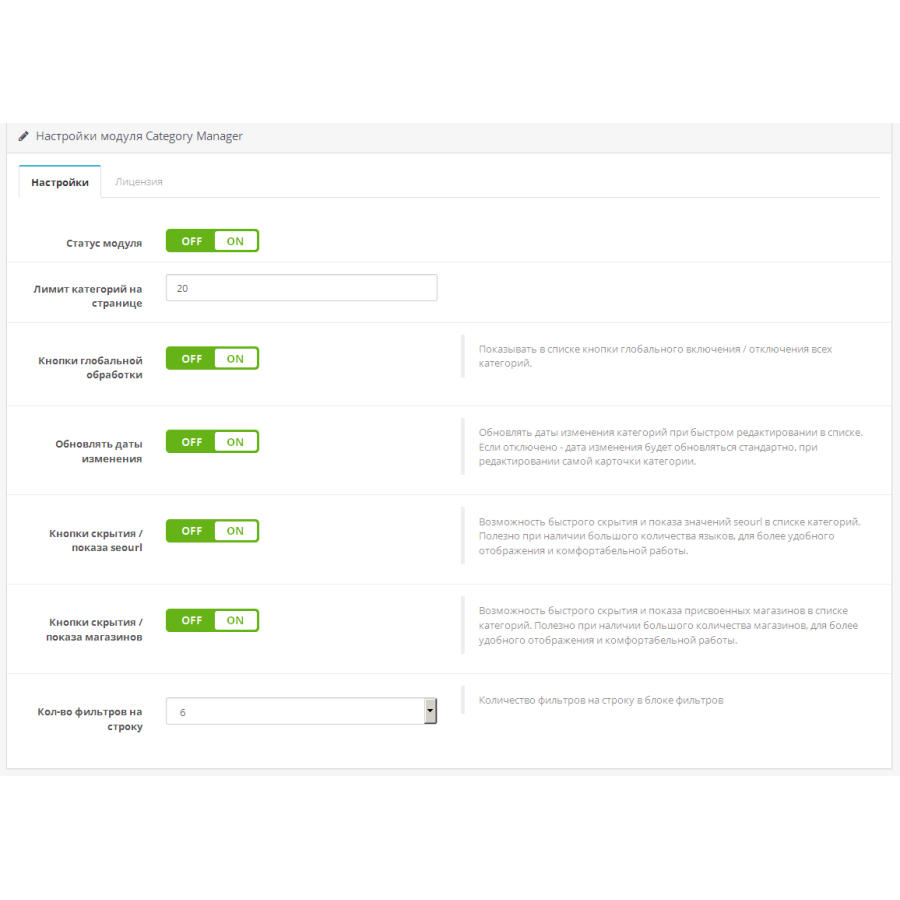


Category Manager module - category management for OpenCart
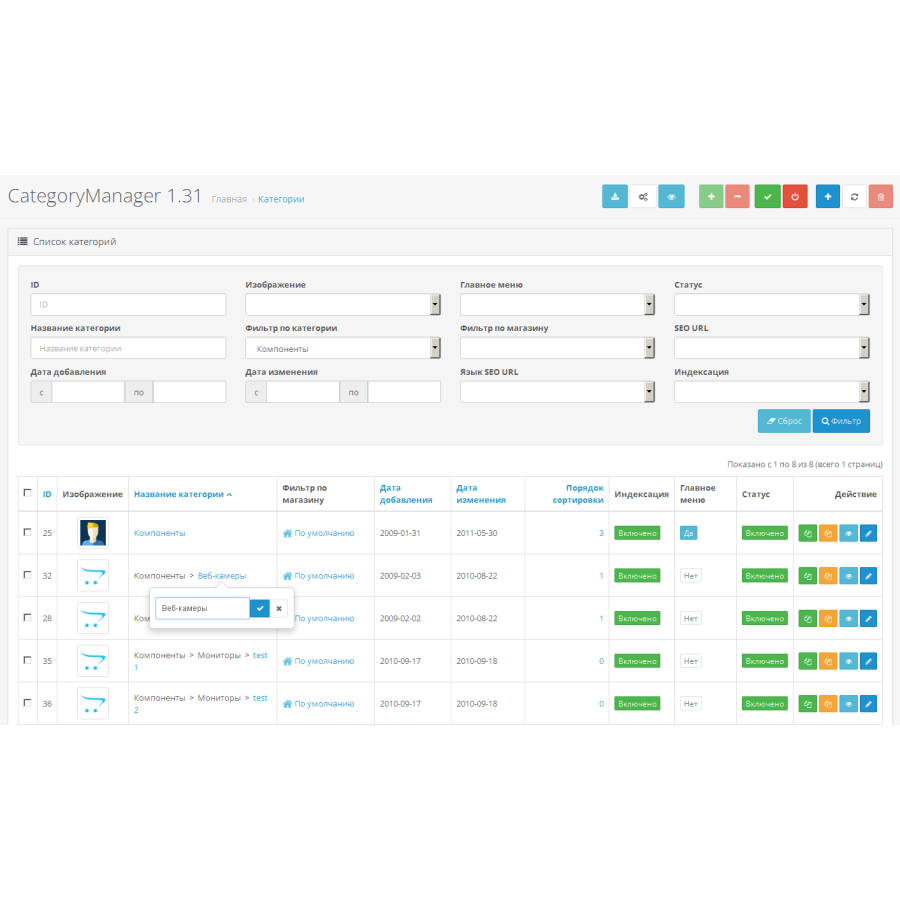
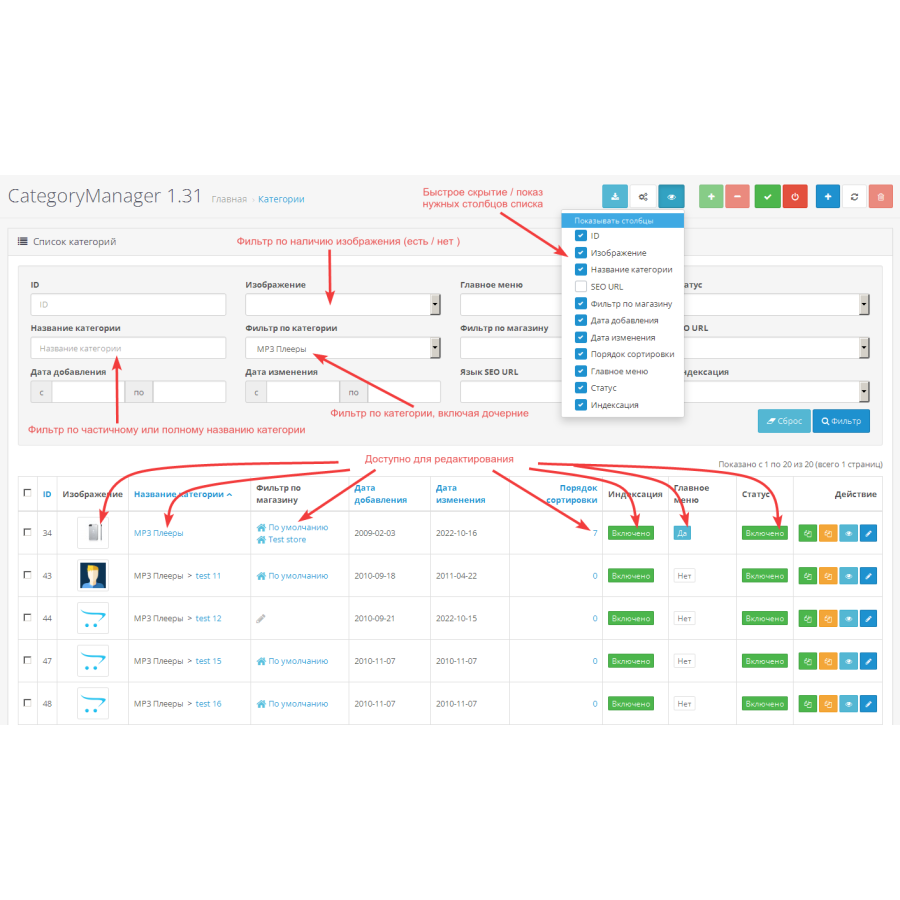
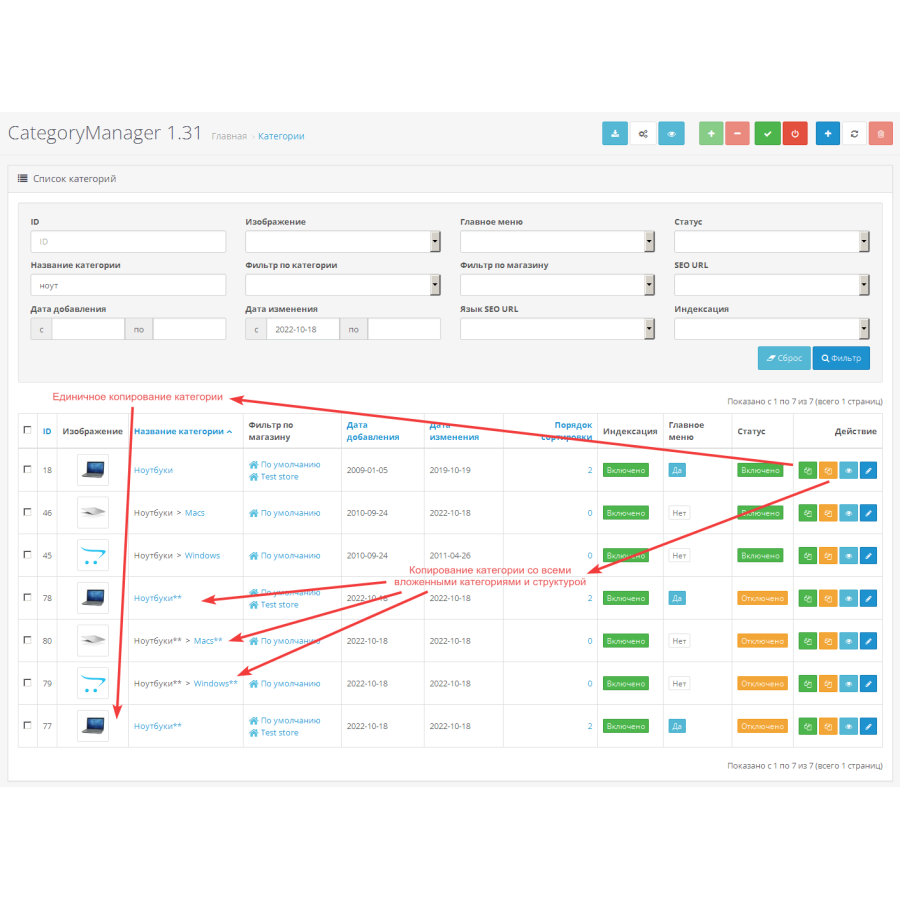
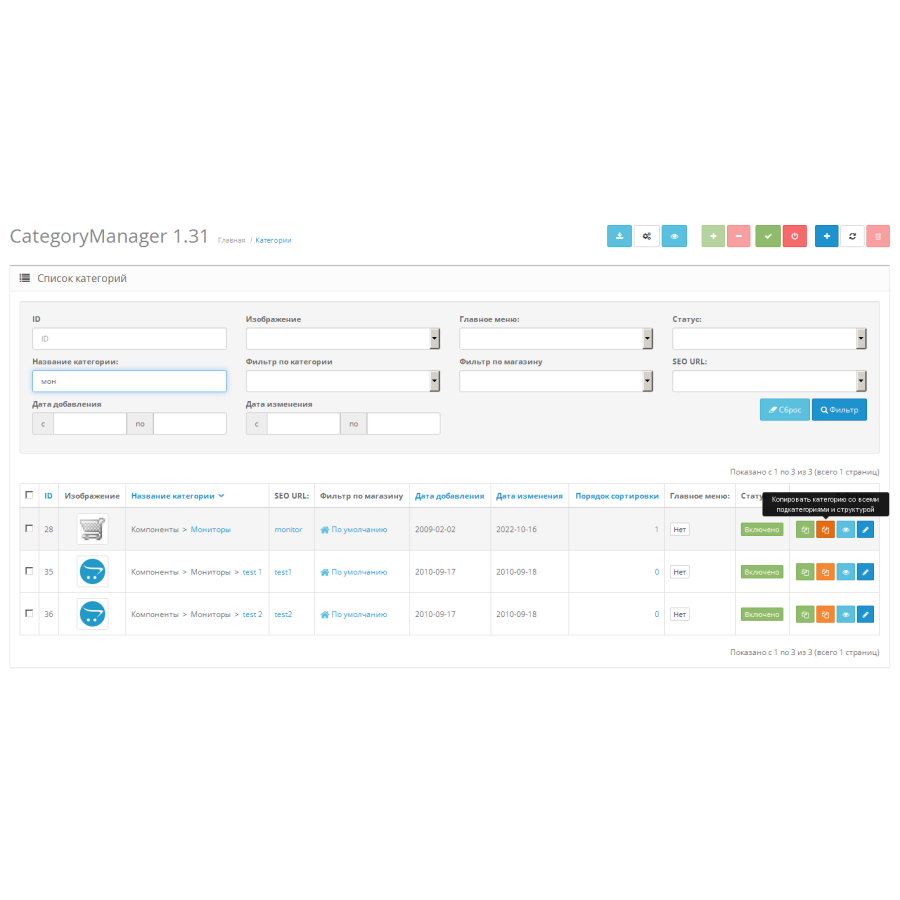
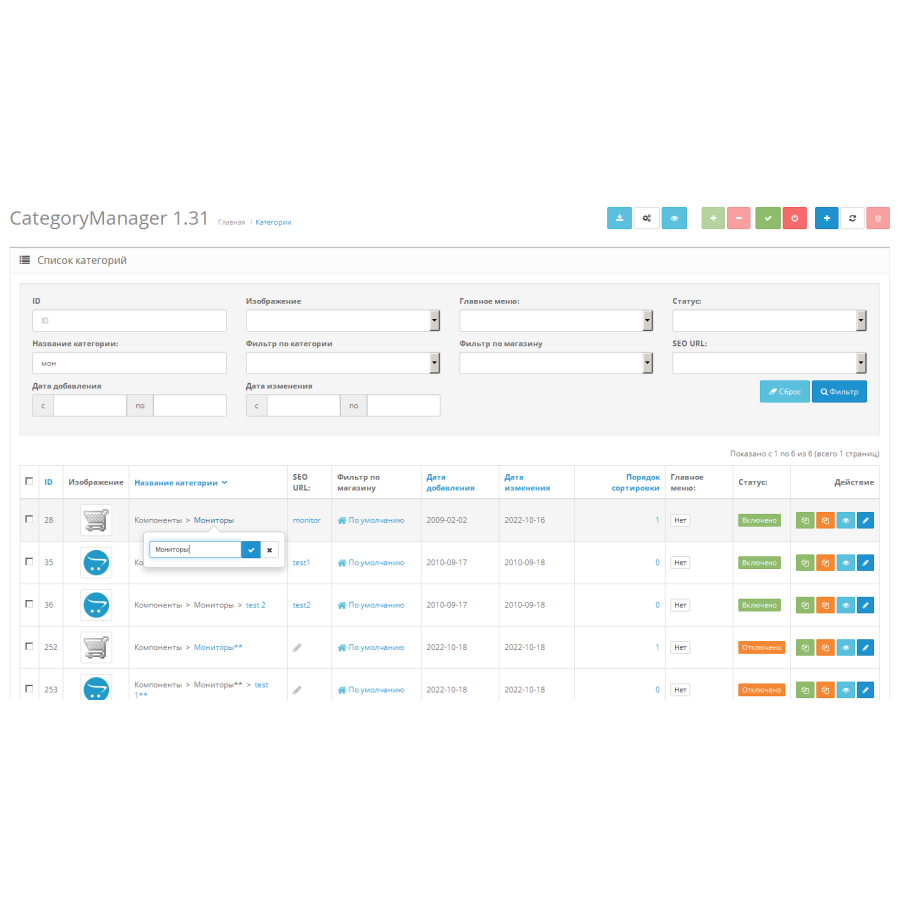
Category Manager greatly simplifies and speeds up the process of working with categories in the admin, adding search, sortable filters, group processing and the ability to quickly edit categories right in the list.
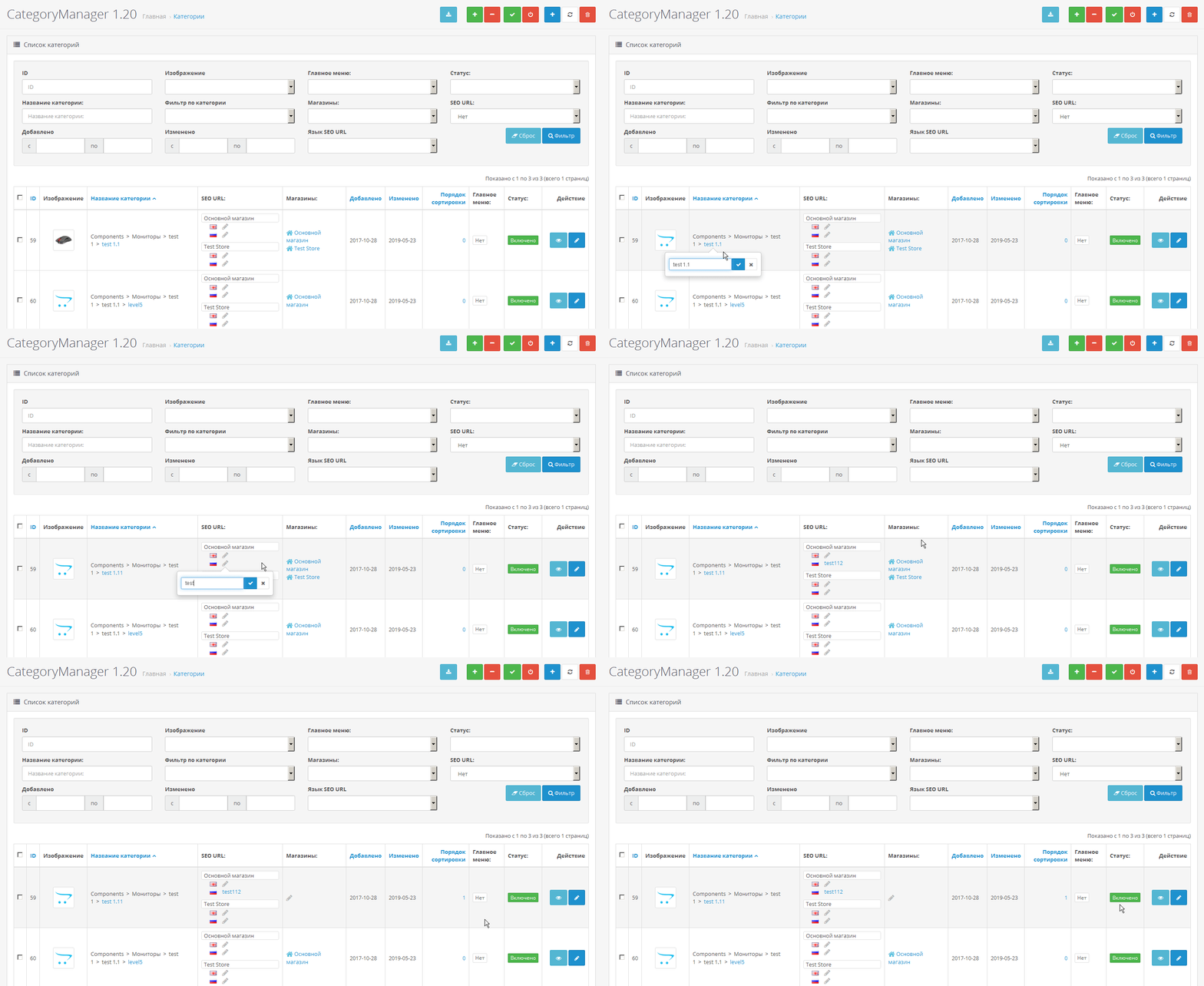
features:
- search for a category by name or part of it with the possibility of sorting
parent categories and subcategories are taken into account when searching, regardless of nesting depth
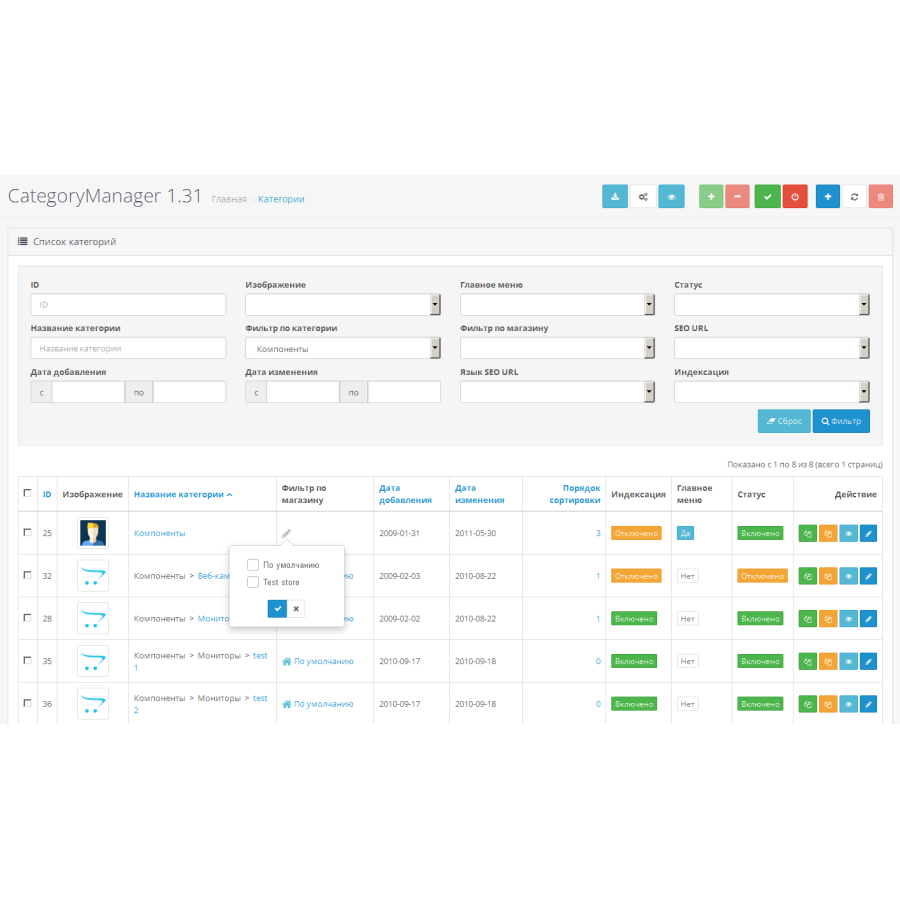
- quick editing of data directly in the list (via ajax)
it is possible to change the image, category name, seo-url, links to stores, sorting order, quick change of status and display in the main menu
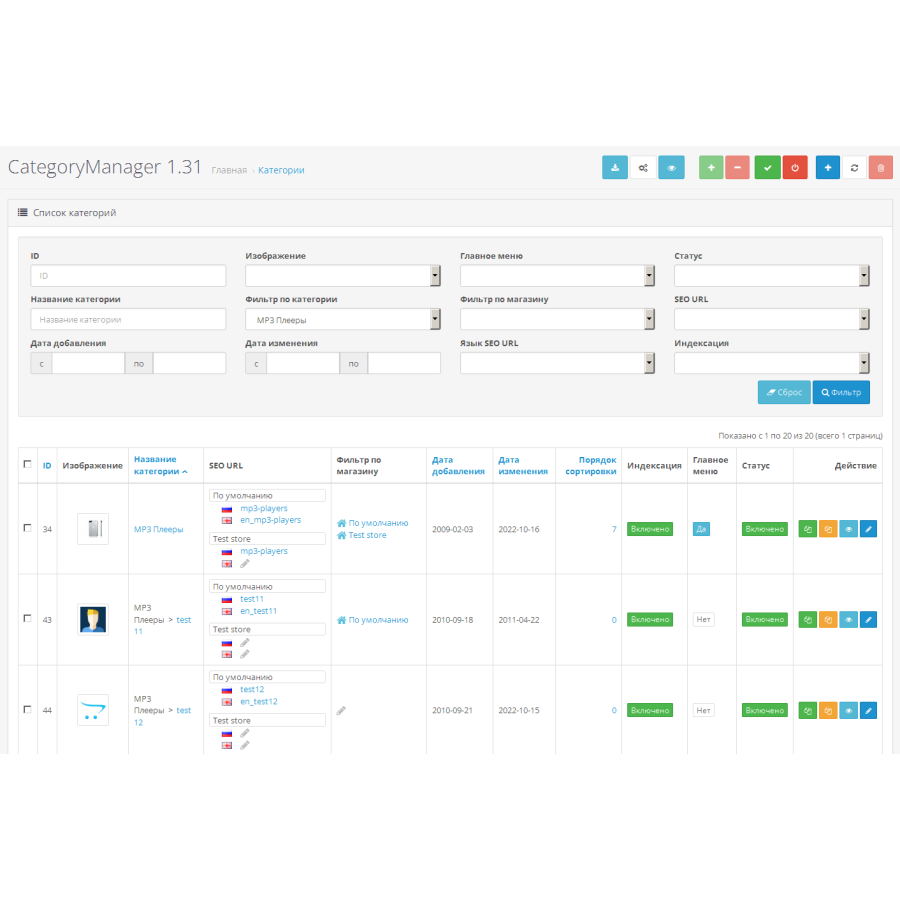
- filter for presence of seo-url category (yes/no) and their display in the list
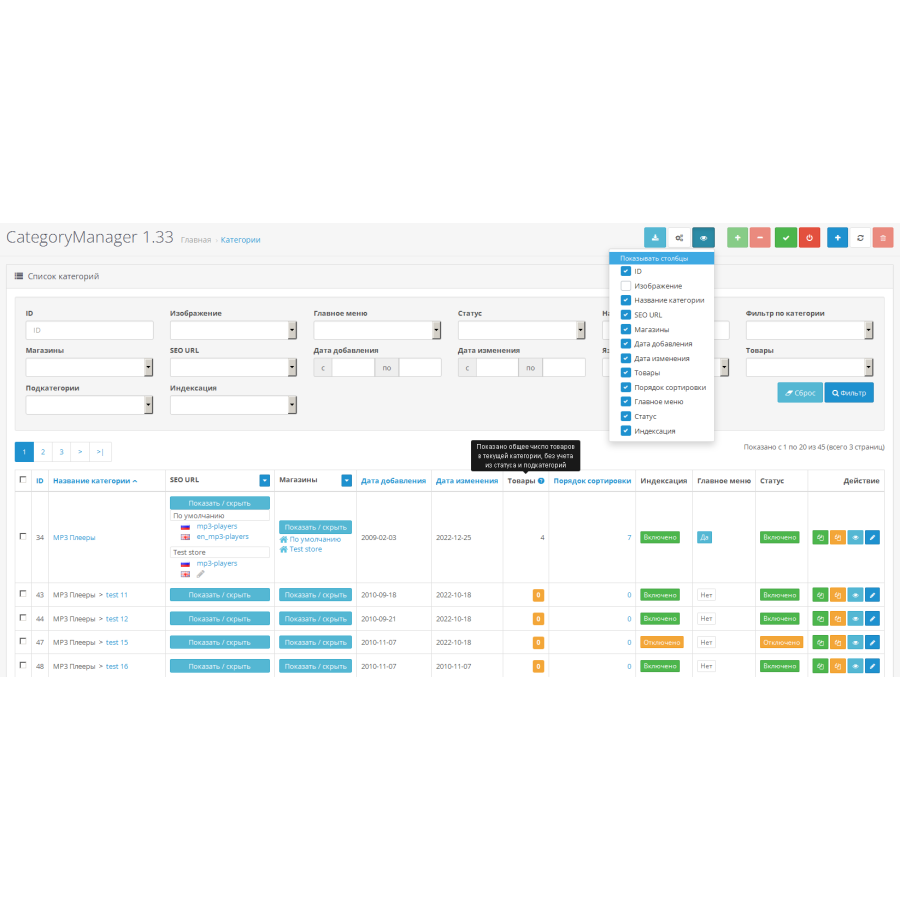
including support and display of multilingual seo-urls for Opencart 3x
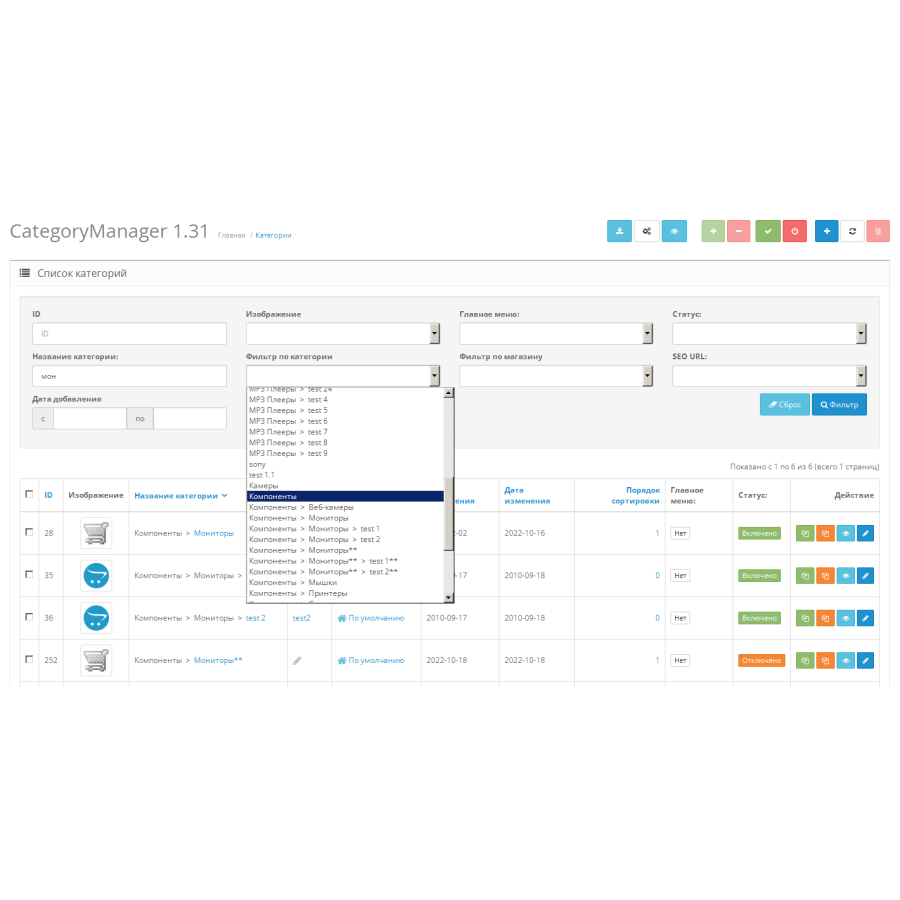
- filter by parent category
- display of shops linked to the category and filter by shops
(with the possibility of displaying categories not tied to any store)
- search, display and sorting by date of creation / date of category change
including for a certain period
- display, search and sort by category ID
- display of category image and filter if available (yes / no / show all)
- display and filter by category status (on/off/show all)
- display and filter by category display status in the main menu (on/off/show all)
- group activation/deactivation of the specified categories
- group enable/disable ALL categories by pressing one button
- Links to quickly view the category in the main store
- color selection of statuses for convenience
- the standard list of categories is still available
Сам модуль виявився надзвичайно зручним і корисним у роботі. Він значно спрощує управління категоріями та їх численними налаштуваннями, дозволяючи виконувати складні та масові операції буквально за кілька хвилин. Завдяки Category Manager вдалося заощадити багато часу та позбутися днів рутинної роботи над структурою каталогу.
Окремо хочу відзначити високий рівень технічної підтримки. Команда оперативно відповідає на запитання, допомагає з налаштуваннями та враховує особливості конкретного проєкту. Всі роботи були виконані якісно та професійно.
Повністю задоволений як роботою самого модуля, так і підтримкою команди. Рекомендую OpenCart Hub усім власникам магазинів на OpenCart, які цінують свій час та прагнуть ефективно керувати каталогом товарів!
No questions about this product, be the first and ask your question.
Module installation instructions:
- Before performing any actions related to installing an add-on in Opencart, we recommend creating a backup copy of all site files and the store database ;
- Install the localcopy fix (if you don't have it installed yet)
- Download the module file for the desired Opencart version from our website ( Follow the installation instructions if there are any in the module archive );
- Then go to the "Installing add-ons/extensions" section and click on the " Download " button;
- Select the downloaded file and wait for the module to be fully installed and for the text "Application installed successfully" to appear;
- After that, go to " Application Manager " and update the modifiers by clicking the " Update " button;
- After these actions, you need to add the rights to view and manage the module in the " User Groups " section for the administrator or other users you select by clicking " Select All ".