All about product
Description
Specification
Reviews
0
Questions0
Installing the module
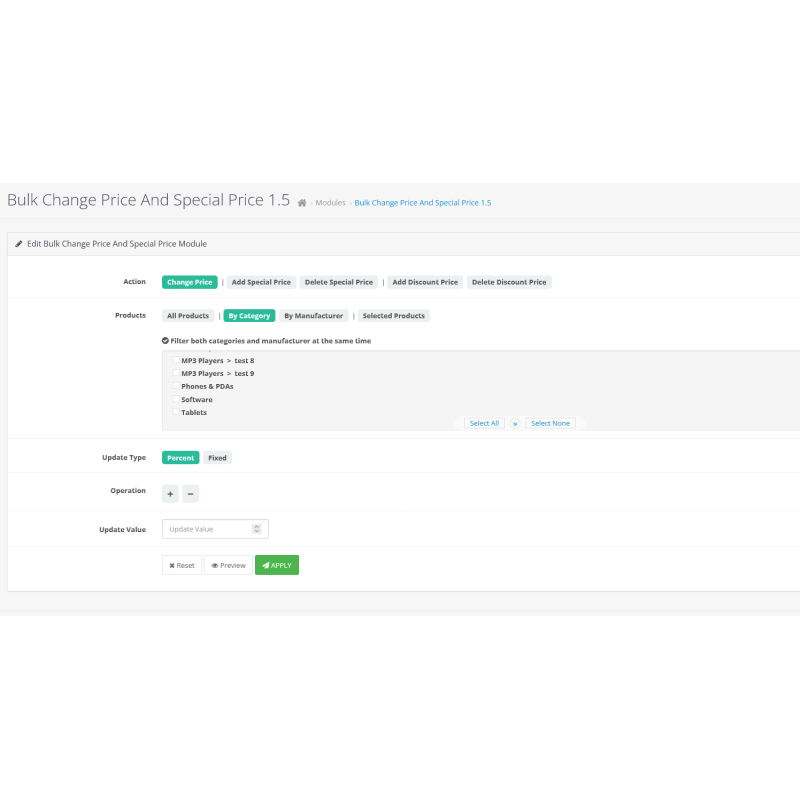
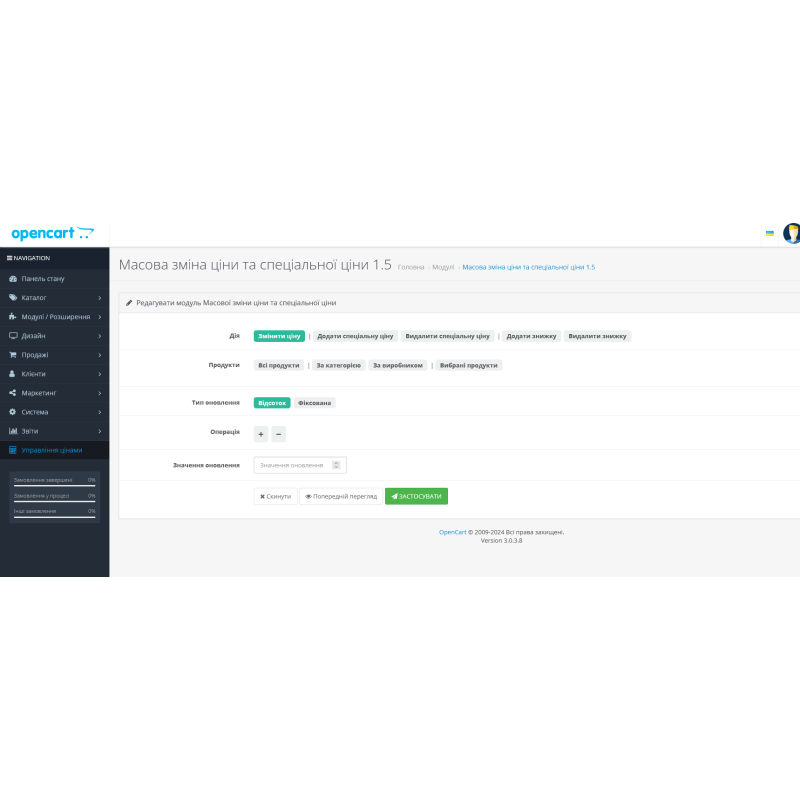


Bulk Price Change and Special Price Module for OpenCart
Product Code: 378
Version: 1.5
In Stock
499 грн
Main specifications
PHP:
7.2-7.4
Compatibility:
3.0.0.0, 3.0.1.1, 3.0.1.2, 3.0.2.0, 3.0.3.0, 3.0.3.1, 3.0.3.2, 3.0.3.3, 3.0.3.5, 3.0.3.6, 3.0.3.7, 3.0.3.8
Localization:
Russian, Ukrainian, English
Ocmod:
Yes
Adaptation to your store:
Paid
All specifications
Description
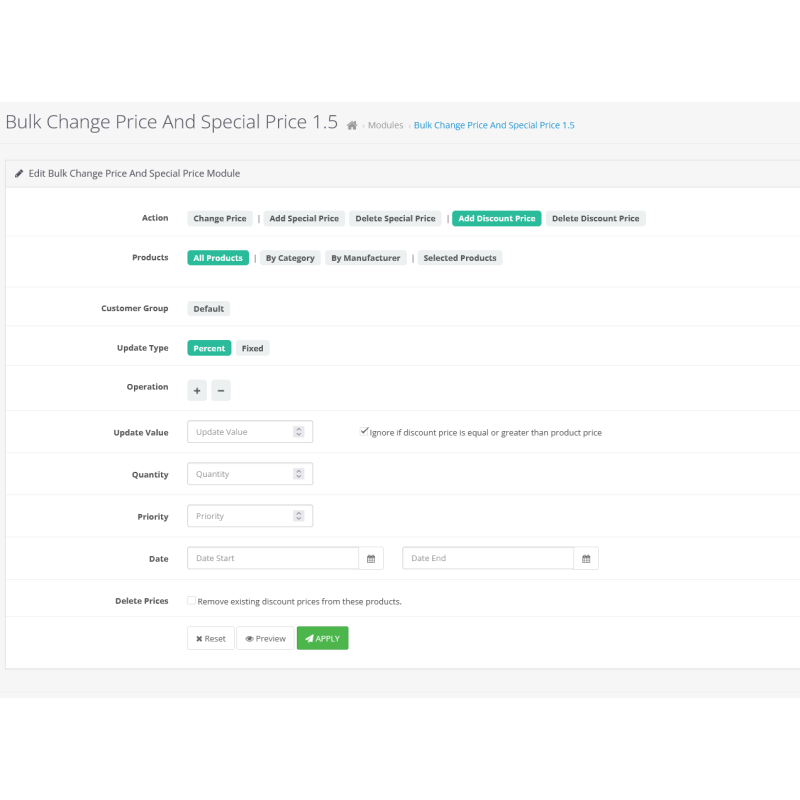
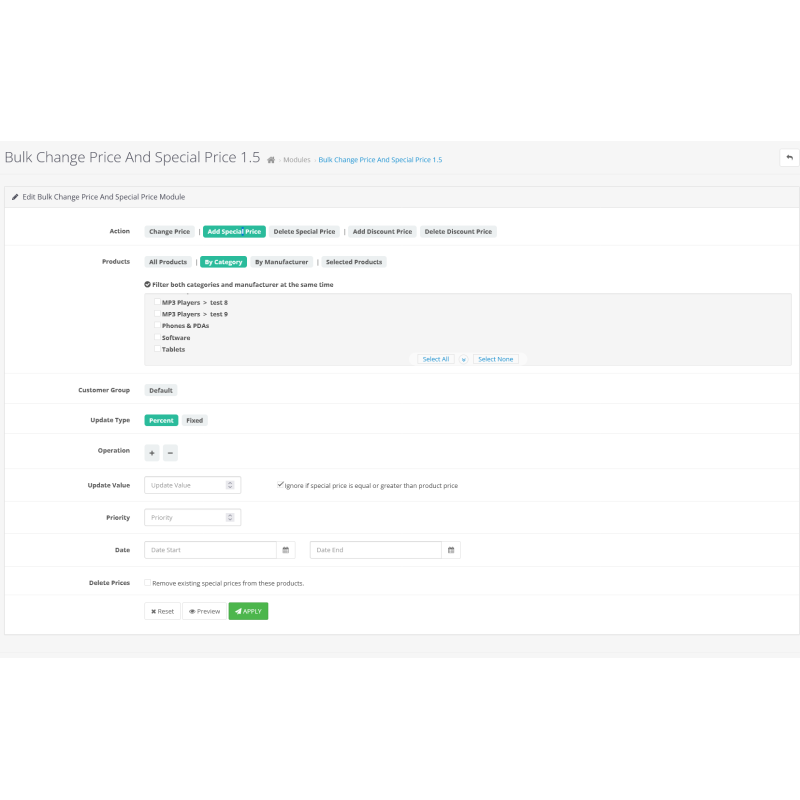
With the "Mass Price Change and Special Offers 1.5" extension, you will be able to quickly and efficiently manage the prices of your products. This module provides convenience and flexibility in changing prices, adding special prices or removing existing offers on your site.
Basic capabilities
- Group price management : Change product prices, add or remove special prices and discounts for a large number of products at once.
- Flexible customization : Apply changes to all products, individual categories, specific manufacturers, or selected products.
- Different types of prices : Use percentage or fixed values to change prices, which allows you to flexibly adjust the cost of products.
- Support for customer groups : Set up special prices for different customer groups, allowing you to create personalized offers.
- Priority and duration : Set priorities, start and end dates for special prices to control the duration of promotions and discounts.
- User-friendly interface : All operations are performed using AJAX, which allows you to avoid refreshing the page and ensures fast and smooth work with the module.
Benefits of use
- Effective management : Mass changes significantly reduce the time required to manage prices for a large number of products.
- Fine-tuning : The ability to customize by categories, manufacturers and individual products allows you to precisely manage your assortment.
- Increase sales : Using special prices and discounts helps to increase the interest of buyers and increase sales.
- Ease of use : Intuitive interface and AJAX support make working with the module easy even for users without technical experience.
Mass Price Change and Special Offers 1.5 extension is an indispensable tool for online store owners who want to optimize the price management process and create attractive offers for their customers. Make your promotions more efficient and manage prices with ease with this powerful module!
Specifications
Characteristics
PHP
7.2-7.4
Compatibility
3.0.0.0, 3.0.1.1, 3.0.1.2, 3.0.2.0, 3.0.3.0, 3.0.3.1, 3.0.3.2, 3.0.3.3, 3.0.3.5, 3.0.3.6, 3.0.3.7, 3.0.3.8
Localization
Russian, Ukrainian, English
Ocmod
Yes
Adaptation to your store
Paid
There are no reviews for this product, be the first to leave your review.
No questions about this product, be the first and ask your question.
Installing the module
Module installation instructions:
- Before performing any actions related to installing an add-on in Opencart, we recommend creating a backup copy of all site files and the store database ;
- Install the localcopy fix (if you don't have it installed yet)
- Download the module file for the desired Opencart version from our website ( Follow the installation instructions if there are any in the module archive );
- Then go to the "Installing add-ons/extensions" section and click on the " Download " button;
- Select the downloaded file and wait for the module to be fully installed and for the text "Application installed successfully" to appear;
- After that, go to " Application Manager " and update the modifiers by clicking the " Update " button;
- After these actions, you need to add the rights to view and manage the module in the " User Groups " section for the administrator or other users you select by clicking " Select All ".