All about product
Description
Specification
Reviews
1
Questions0
Installing the module


Module Quickly create nested categories EasyCats for OpenCart
Product Code: 231
Version: 1.0
In Stock
450 грн
Main specifications
PHP:
7.2-7.4
Compatibility:
OpenCart 3, ocStore 3
Localization:
Ukrainian, Russian, English
Ocmod:
No
Adaptation to your store:
Paid
All specifications
Description
Modul allows you to simplify the process of creating each category one by one manually, how?
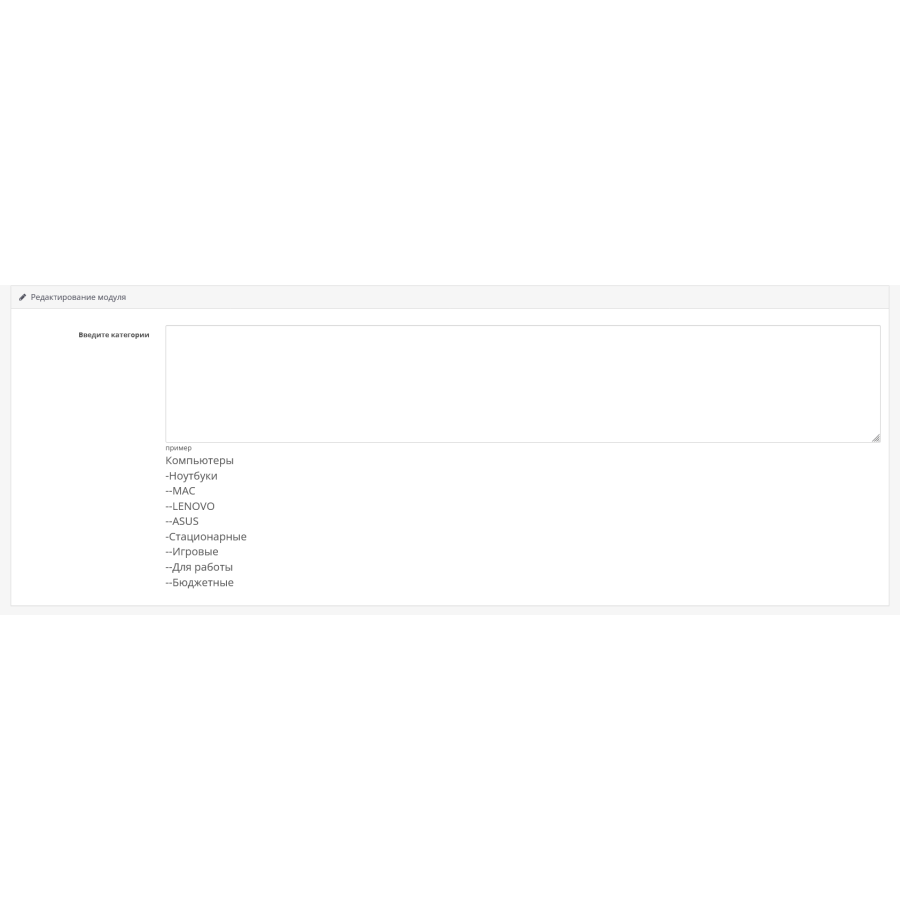
Using an entry similar to a folder tree, the module can create a number of nested categories. For example, using the simplest expression:
LaptopsWe will get 2 categories. the first is laptops. the second nested MAC category
-MAC
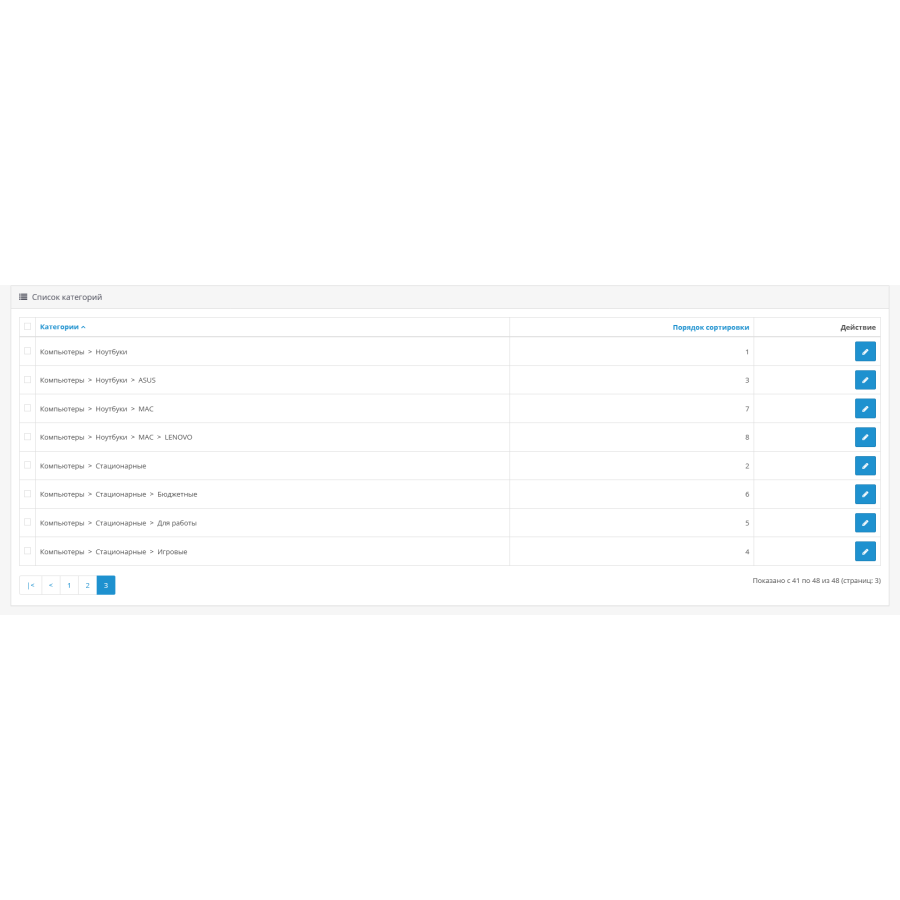
When creating a category, the module sets SEO links using the transliteration method (printer=>printer). The most complex example with a bunch of categories. computers in this case are the top category, which includes: laptops and desktops. in turn, the notebook category includes the following categories: mac, lenovo, asus
Computers
-Laptops
--MAC
--LENOVO
--ASUS
-Stationary
--Game
--For work
--Budget
Specifications
Characteristics
PHP
7.2-7.4
Compatibility
OpenCart 3, ocStore 3
Localization
Ukrainian, Russian, English
Ocmod
No
Adaptation to your store
Paid
Отдичное решение для быстрого создания категории... Рекомендуем к покупке! Уже не раз выручал
Is this review helpful?
1
No questions about this product, be the first and ask your question.
Installing the module
Module installation instructions:
- Before performing any actions related to installing an add-on in Opencart, we recommend creating a backup copy of all site files and the store database ;
- Install the localcopy fix (if you don't have it installed yet)
- Download the module file for the desired Opencart version from our website ( Follow the installation instructions if there are any in the module archive );
- Then go to the "Installing add-ons/extensions" section and click on the " Download " button;
- Select the downloaded file and wait for the module to be fully installed and for the text "Application installed successfully" to appear;
- After that, go to " Application Manager " and update the modifiers by clicking the " Update " button;
- After these actions, you need to add the rights to view and manage the module in the " User Groups " section for the administrator or other users you select by clicking " Select All ".