

OpenCart bulk add and update options and attributes module
Module for mass addition and update of options and attributes
This module simplifies work with products in online stores on OpenCart, allowing you to quickly and massively add or update options and attributes. It is ideal for stores with a large number of products, where you need to quickly edit the catalog without manually changing each item.
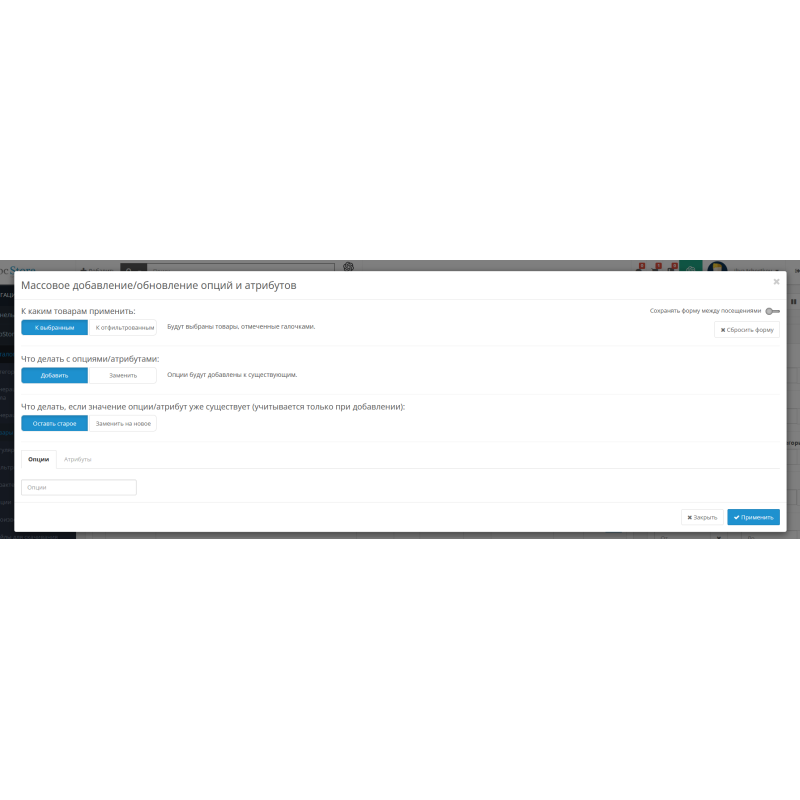
After installation, the "Bulk options/attributes" button appears in the Catalog → Products section, which opens a convenient window for selecting products and applying changes. The module is fully integrated into the standard OpenCart interface and uses built-in filtering methods.
Module capabilities
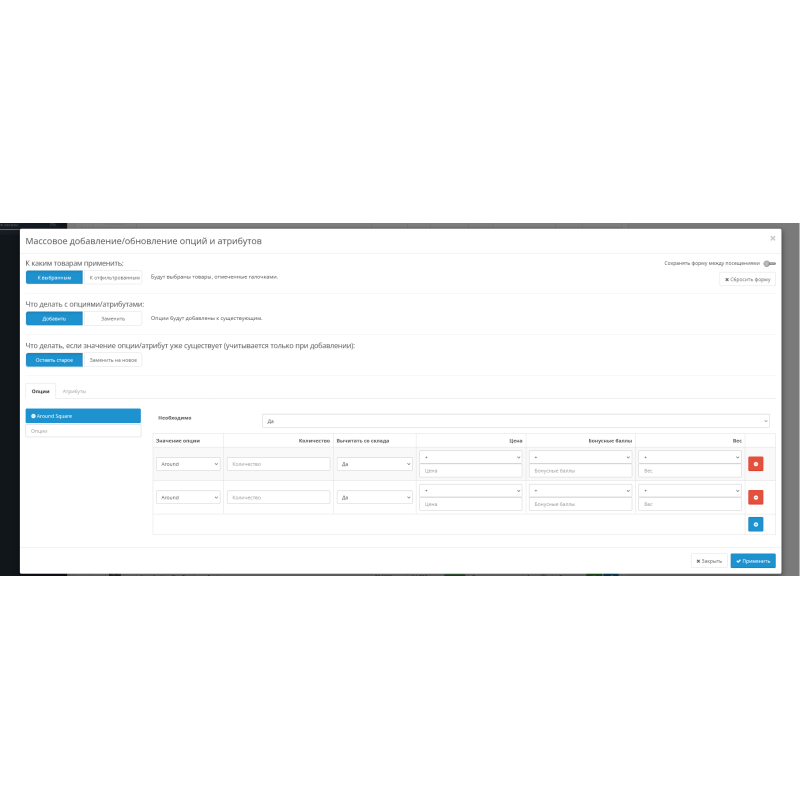
- Bulk addition - quickly adding new options or attributes to many products at once.
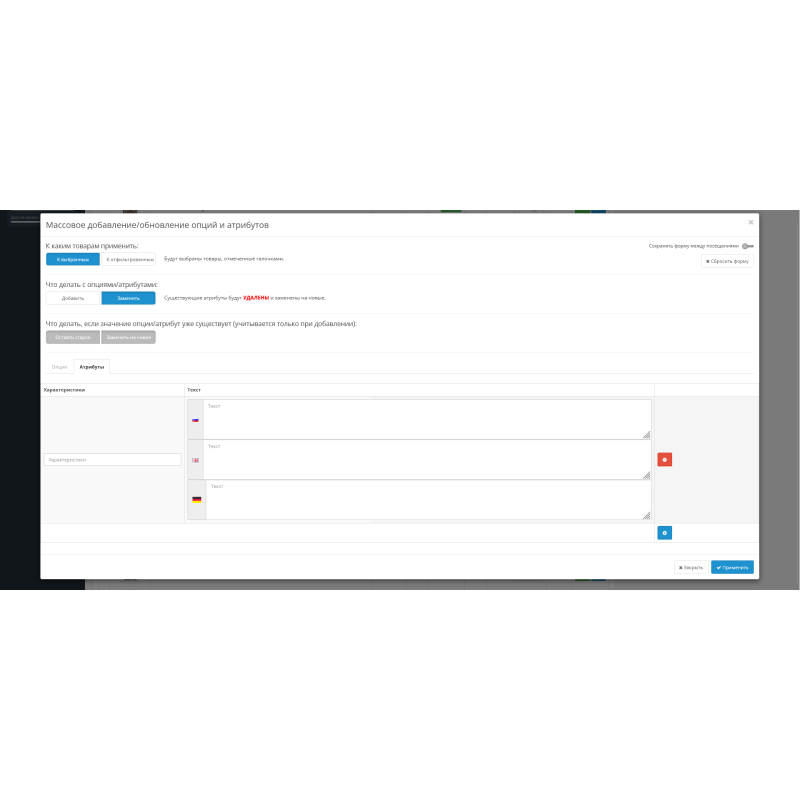
- Mass update — replacing existing options and attributes with new ones.
- Flexible selection of products - to manually selected ones or to all those filtered through the standard filter.
- Handling duplicate values - keep old or replace with new in append mode.
- OpenCart and ocStore 2.x - 3.x support
- Open source code , easy to modify and customize.
How it works
You select products manually or via a filter. Then, in the modal window, you specify whether you want to add or update options/attributes, and select the mode for processing existing values. After confirmation, the changes are applied to all selected products.
Important to know
- It is recommended to create a backup copy of the database before making bulk changes.
- The module works on a standard product page and with standard filters.
- If you have modifiers that change the structure of options or attributes, adaptation may be required.
Installing the module
- Go to the "Installing Applications" section and download the module file.
- Wait for the message about successful installation.
- Open the "Application Manager" and click the "Update" button.
There are no reviews for this product, be the first to leave your review.
No questions about this product, be the first and ask your question.
Module installation instructions:
- Before performing any actions related to installing an add-on in Opencart, we recommend creating a backup copy of all site files and the store database ;
- Install the localcopy fix (if you don't have it installed yet)
- Download the module file for the desired Opencart version from our website ( Follow the installation instructions if there are any in the module archive );
- Then go to the "Installing add-ons/extensions" section and click on the " Download " button;
- Select the downloaded file and wait for the module to be fully installed and for the text "Application installed successfully" to appear;
- After that, go to " Application Manager " and update the modifiers by clicking the " Update " button;
- After these actions, you need to add the rights to view and manage the module in the " User Groups " section for the administrator or other users you select by clicking " Select All ".